Using the Customer Chat Window
When a customer initiates a chat, a chat window appears:
This example illustrates the fields and controls on customer chat window. You can find definitions for the fields and controls later on this page.
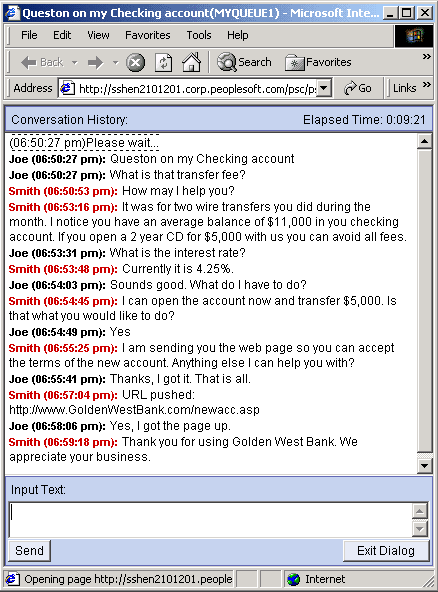
The format and content of the customer chat window is delivered as part of PeopleSoft MultiChannel Framework. The customer chat window includes a conversation history text box, input text box, and Send and Exit Dialog buttons.
If accessibility features are not turned off in the My Personalizations component, an additional text box appears below the conversation history. The most recent agent input appears in the secondary text box, which can be read by screen reading software.
| Field or Control | Description |
|---|---|
|
Input Text |
The customer enters text here. The maximum size of the text that can be sent at one time is 4096 bytes (4 kilobytes). |
|
Send |
Click to send the input text to the agent. |
|
Exit Dialog |
Click to end the chat and close the chat window. |
Note:
The agent collaborative chat window is substantially the same as the customer chat window.