Adding Line Numbers
To add line numbers in PeopleCode Editor:
-
Go to the menu bar of Application Designer.
-
Click on View.
-
Select Line Numbers.
The following image illustrates how line numbers are displayed in PeopleCode Editor:
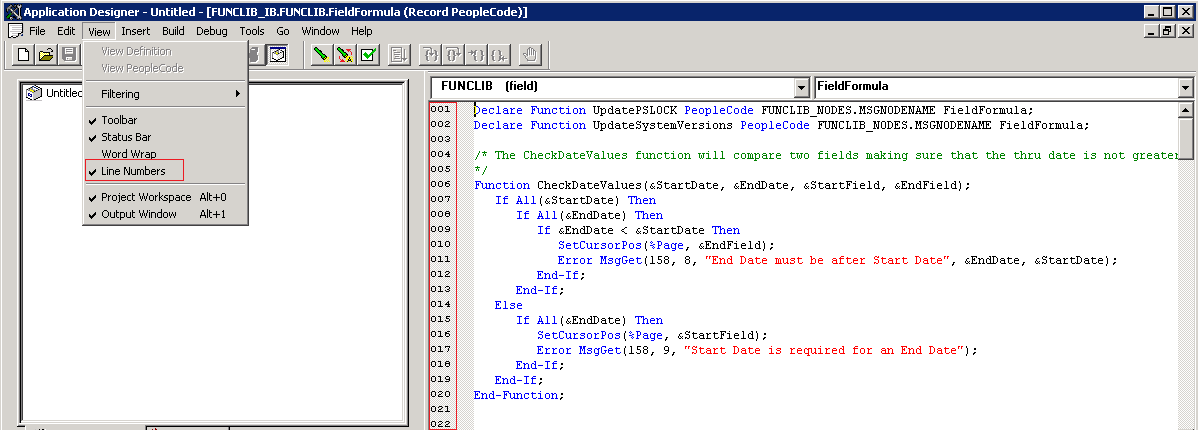
To remove line numbers from PeopleCode Editor, uncheck Line Numbers.
Note:
Line numbers in PeopleCode Editor are not the same as statement numbers in debug mode. While line numbers are valid for all the lines in PeopleCode editor including comments, declarations and new lines, statement numbers do not include the declare functions and functions that are not debuggable.