Find and Replace Dialogs
When you use the Find and Replace functions, any text string that is highlighted appears when either the Find or Replace dialog boxes are called. For example, if you select the method ActiveRowCount it appears in the Find dialog box when it's called, as shown in the following example:
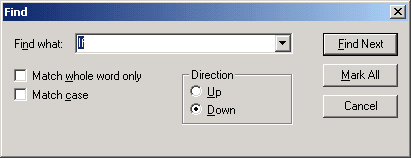
You can move through finding and replacing text strings one string at a time, or click Replace All to replace globally. The Undo function is available to undo the last replace or replace all.
The Mark All button places a bookmark next to all lines that have the matching text. Use Shift+CTRL+f2 to remove all bookmarks.
With the Replace dialog box, you can select to replace text either in a selected section or a whole file (that is, a PeopleCode program.)