Creating Dynamic View or SQL View Records
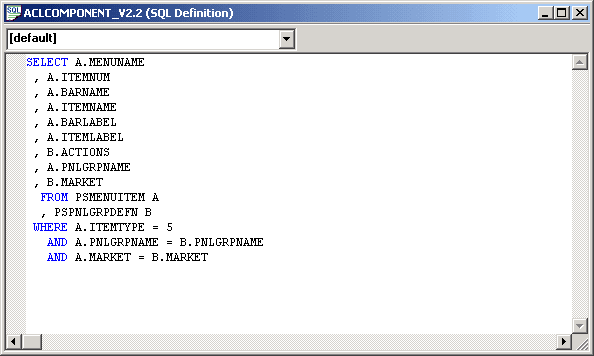
When you create a SQL view or dynamic view record definition, you enter a SQL view Select statement to indicate the field values that you want to join and the tables that contain the field values. You do this in the SQL Editor, as shown in the following example:
This example illustrates the SQL Editor for SQL view record definition.
To access the SQL Editor from record definitions:
-
Open or create a dynamic view or SQL view record definition.
-
Select the Record Type tab.
-
Click the Click to Open SQL Editor button.
You can select a database type, but not an effective date, from the SQL Editor for dynamic view and SQL view record definitions.
Note:
You must be sure to save record definitions of the SQL View type before opening the SQL Editor. Once the SQL Editor is open, the Save options are disabled and inaccessible. If you do not save your changes before opening the SQL Editor, you may lose your work.