Variables Panes
The four types of variables panes are:
-
Local
-
Global
-
Component
-
Parameter
The Local, Global, and Component variable panes show local, global, and component variables, respectively. The Parameter variable pane shows the value of parameters passed in function declarations.
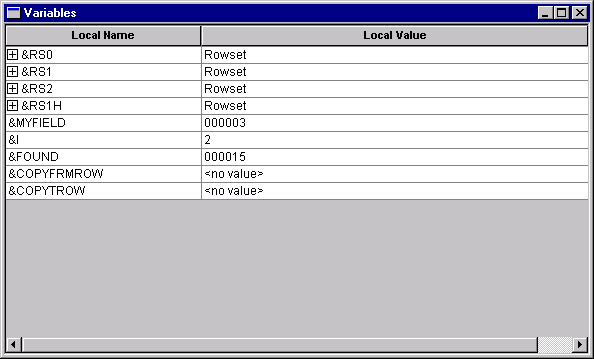
From the variables pane, you can check the value of the variables you have in the program. These values are updated as the code runs. The following example shows the variables pane:
This example illustrates the fields and controls on the Local Variables pane. You can find definitions for the fields and controls later on this page.
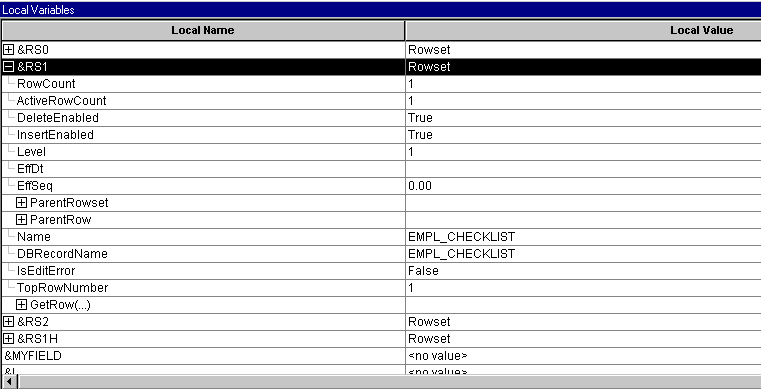
In addition, you can expand any of the objects to see its properties by clicking the plus sign next to the variable name. In the following example, a level one rowset is expanded. You can see the properties, such as ActiveRowCount and DBRecordName, that are part of the rowset.
This example illustrates the fields and controls on the Local Variables pane with rowset object expanded. You can find definitions for the fields and controls later on this page.
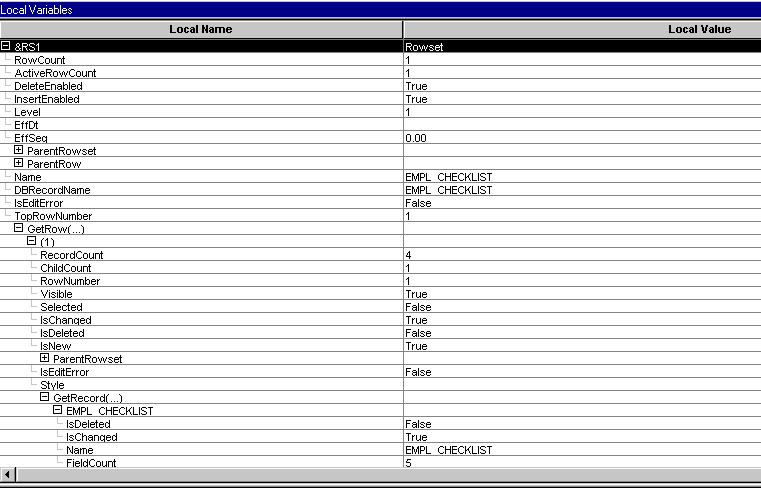
In addition, some objects contain other objects: a rowset contains rows, rows contain records or child rowsets, and records contain fields. You can expand these secondary objects to see their properties. In the following example, the first row of a rowset is expanded, as is the EMPL_CHECKLIST record:
This example illustrates the fields and controls on the Variable pane with rowset, row, and record expanded (shown with condensed font). You can find definitions for the fields and controls later on this page.
Field Values
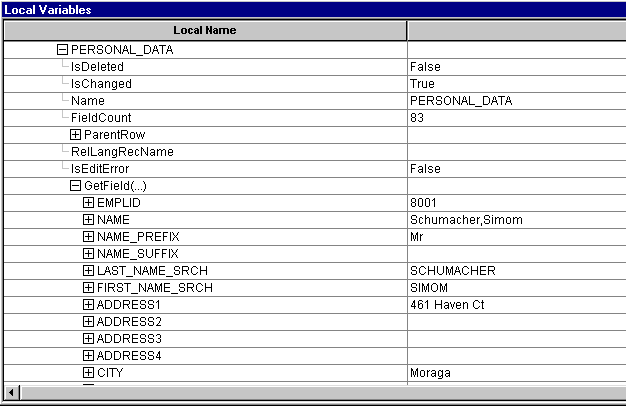
When you view a field object in the debugger, the value of the field is listed in the Value column. Therefore, you do not have to navigate to the Value property to see the value of a field.
The following example shows the PERSONAL_DATA record and the values of the fields:
This example illustrates the fields and controls on the PERSONAL_DATA record field values. You can find definitions for the fields and controls later on this page.
In addition, the only fields that appear in the debugger are the fields that are actually in the Component Buffer. For example, suppose you have a derived work record, but you do not access all the fields in the work record. Only the fields that you access and that are in the Component Buffer actually appear in the debugger.
Related Topics