TCP Sockets
The TCP Sockets section of the dashboard displays count of sockets in various TCP-socket states.
This example illustrates the fields and controls on the TCP Sockets section. You can find definitions for the fields and controls later on this page.
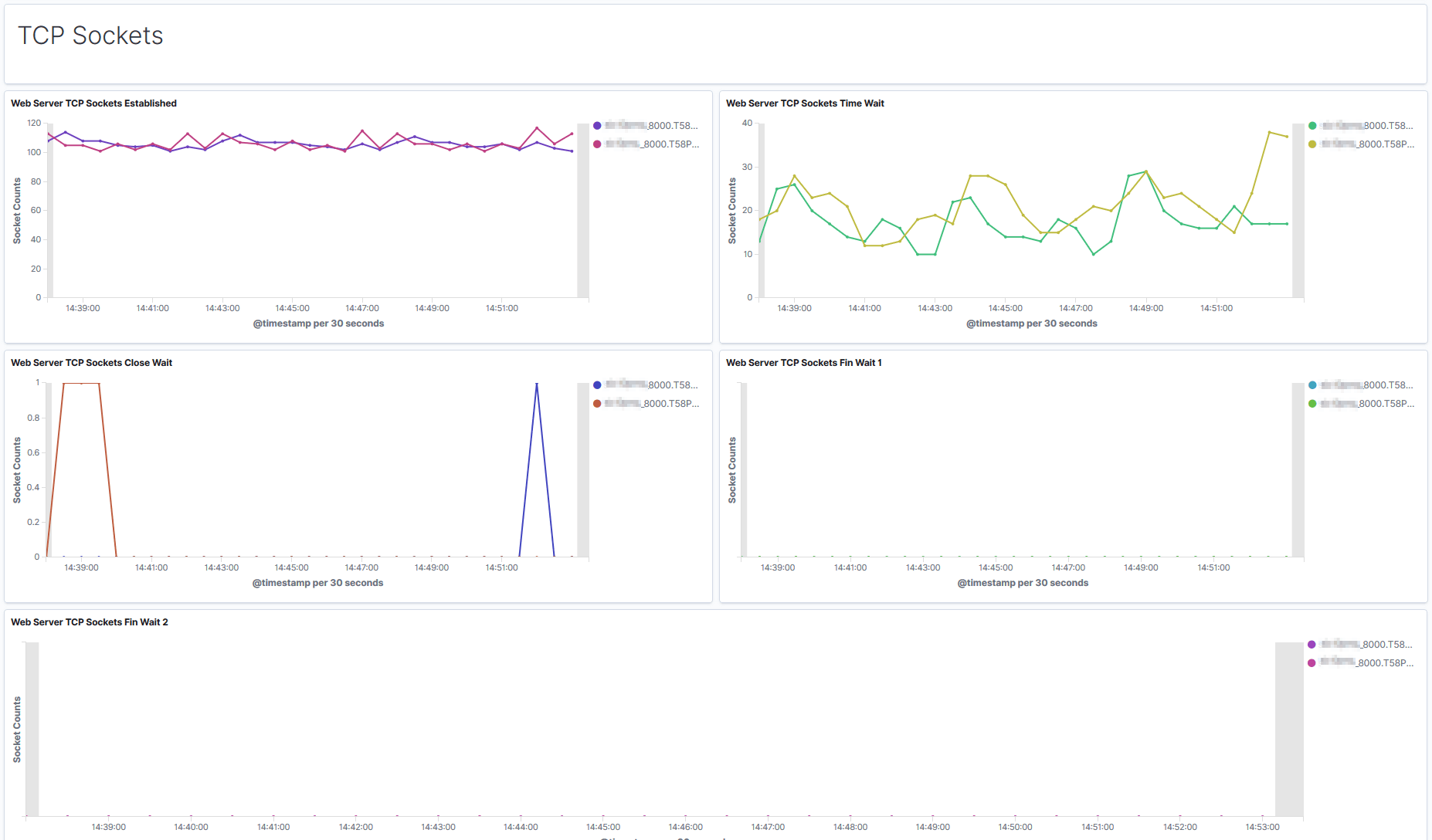
| Term | Definition |
|---|---|
|
TCP Sockets Established |
A graphical visualization of the "steady state" of an open TCP connection. Data can be exchanged freely when both devices in the connection enter this state. This will continue until the connection is closed for one reason or another. |
|
TCP Sockets Time Wait |
The device has received a close request from the other device. It must now wait for the application on the local device to acknowledge this request and generate a matching request. |
|
TCP Sockets Close Wait |
The device has received a termination request from the other device and acknowledged it, and sent its own termination request and received an acknowledgment for it. |
|
TCP Sockets Fin Wait 1 |
A device in this state is waiting for an acknowledgement for a close request it has sent, or is waiting for a connection termination request from the other device. |
|
TCP Sockets Fin Wait 2 |
A device in this state has received an acknowledgement for its request to terminate the connection and is now waiting for a matching request to terminate from the other device. |
The following table lists the issues that can happen at various TCP-socket states, and their resolutions:
| Symptom | Cause | Resolution |
|---|---|---|
|
Connections are in TIME_WAIT state for more than five minutes. |
TIME_WAIT interval is too high. It should not be more than thirty seconds. |
Reduce the TIME_WAIT interval. See PeopleTools Performance Guidelines Red Paper (Doc ID 747389.1), Reviewing TCP Sockets Information. |
|
Socket connections (1000 or more) are stuck in the CLOSE_WAIT state for a long time. |
Sockets are not being closed properly by some applications. |
Determine which process
or processes are leaving the sockets in CLOSE_WAIT state. You can
check The workaround is to increase the user limit for file-descriptor count. |
|
Too many socket connections and requests are being rejected. Note: If requests are being rejected due to other causes, then add additional Web server on another host. |
File-descriptor count is low (less than 8000). |
Increase the count. |
|
File-descriptor count is sufficiently high. |
Investigate and find the requests that are leaving socket connections open. |