Accessing from the Fluid Homepage
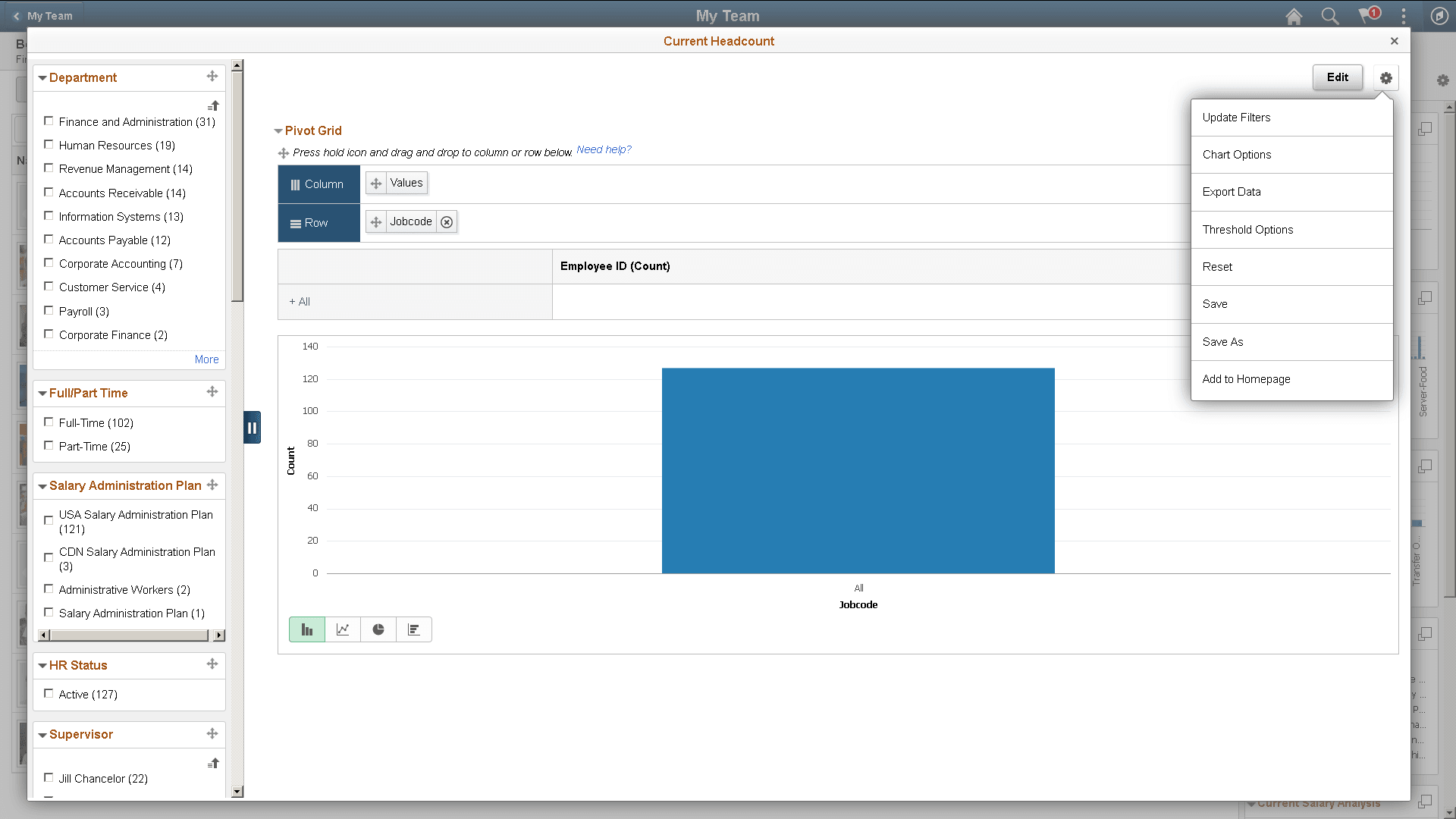
You can add a simplified analytic to the fluid homepage using the Add to Homepage option in theOptions Menu. By default the analytics appear in a 2x2 tile with the chart preview.
This example illustrates the Add to Homepage link and other options in the Options Menu.
Pivot grid administrator can also add the analytic to homepage from the Create Analytics Wizard - step 3 or the Edit Analytics Wizard - step 3.
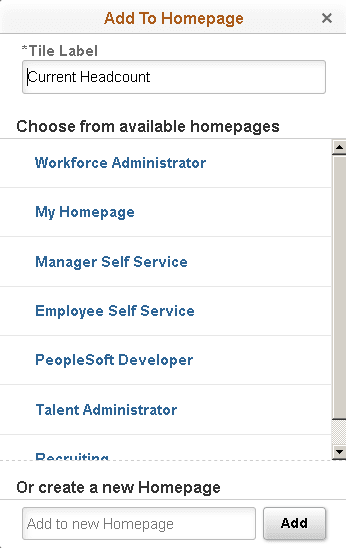
The system prompts you to select a homepage to add the analytics. It also gives you an option to change the name of the analytics.
- Select to add the analytics from available homepage.
- Create new homepage if required.
- Change name of the analytics which will show as the tile label.
Note:
You can add a report once to any homepage. If the report was already added to the homepage and you attempt to add the report again, then you have the option to delete the report from the homepage and add it back to the homepage.
Related Topics