Accessing from the Unified Related Content Analytics Pane
You can find the pane on the right side of an application page. When both component-level related information and Simplified Analytics are configured for the component, the right panel of the window shows the related information and analytics. Add Analytics button is displayed only if any analytics configuration exist for the component.
The example below shows the Unified Related Content Analytics pane on the right of the page.
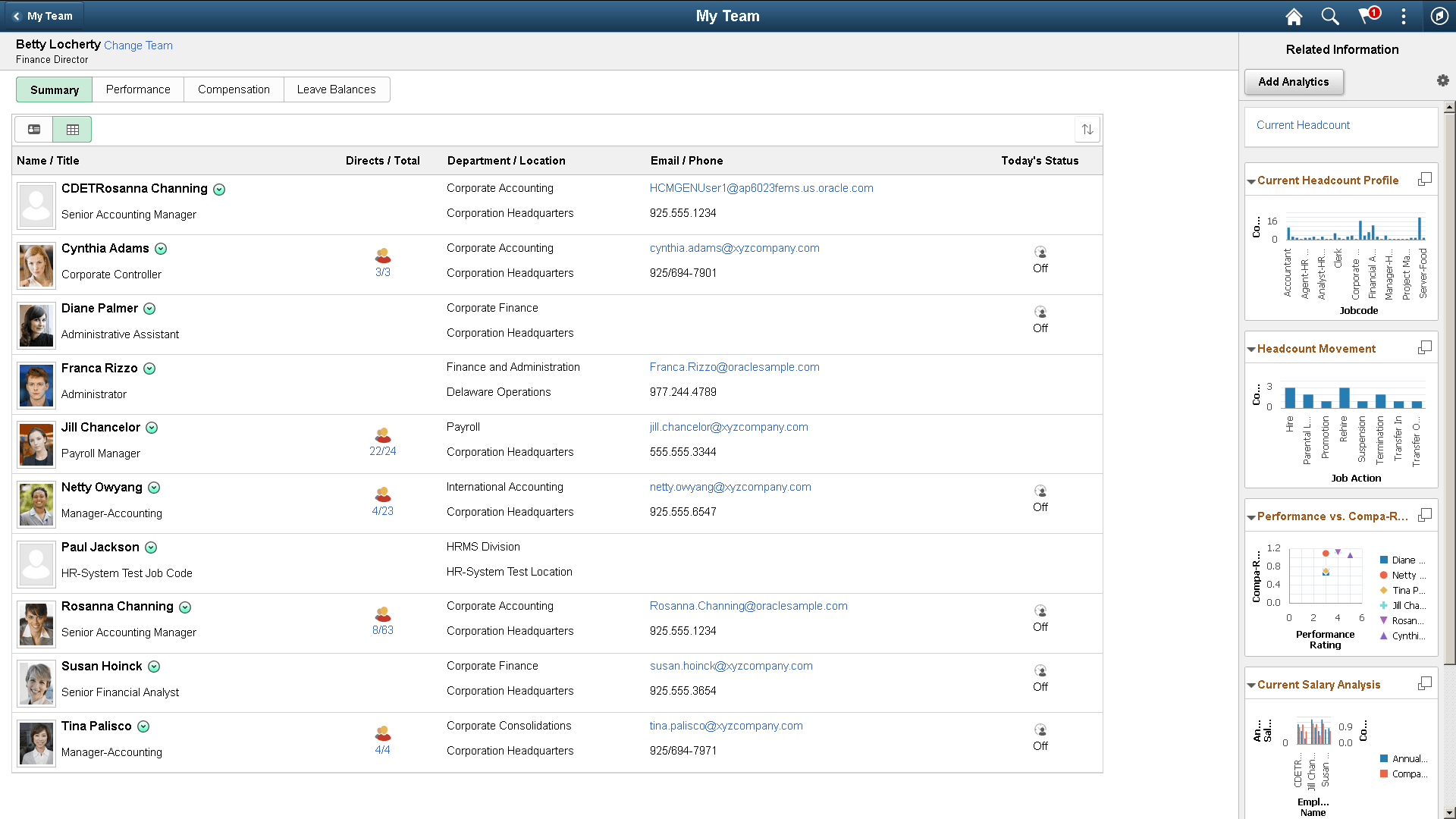
Related Information show as tiles. See Portal Technology: Understanding the PeopleSoft Related Content Framework.
Simplified Analytics show as links by default. You can configure the analytics to show as tiles too from the Personalize Related Information button. See Personalizing Unified Related Content Analytics Pane.
You can click the link or the Display analytic in Modal Window button on the top right corner of the tile to open the analytic in modal window.
You can edit the analytic or use other options to configure the analytics from the modal window.
Related Topics