Attaching PeopleSoft Trees to Dimensions
Each dimension in the Pivot Grid model can be associated with a PeopleSoft Summer Tree (which has the tree details associated with a component). The totals that appear in the Pivot Grid model are limited to only the lowest level of the tree structure.
Using the Attach Tree functionality, note that:
-
This function is used for Detail Type Tree Structures, which have the tree details associated with a component (Summer Trees). The function may not be used when the tree nodes correspond to details.
-
The tree structure for the corresponding tree has to be as follows:
-
The Tree Node must be associated with the Tools delivered TREE_NODE_TBL table.
-
The Tree Details in the tree structure must point to the application data table.
-
The field name in Tree Details must match with the field that you are trying to attach the tree to.
-
-
Totals at the lowest level are not available when the Total option is not selected for the dimension.
-
Aggregation is available only for the lowest level.
-
You cannot specify skip levels for the tree while performing aggregation; for example, if the tree has eight levels, you cannot select only level one through level five.
-
For the chart-only view, trees are attached only in the filters.
-
In fluid view, all filters, facets, grid rows, and grid columns that are attached to Trees are shown in hierarchical order.
-
In Pivot Grid Viewer, the tree hierarchy level appears only at the lowest level of the grid row or column because Pivot Grid calculates totals only at the lowest levels.
-
The tree nodes and the tree leaf values used with Pivot Grid models must be distinct to avoid incorrect display of values.
-
Users can select multiple tree filtering options (nodes or leafs) in fluid view. If partial or full nodes are selected, the colored toggle icons indicate the selection.
-
Parent nodes are marked as selected if all of their descendents are selected. Parent nodes are marked as partially selected if any child node is selected.
-
This functionality can be used only in Pivot Grid Viewer and cannot be used in CRTS.
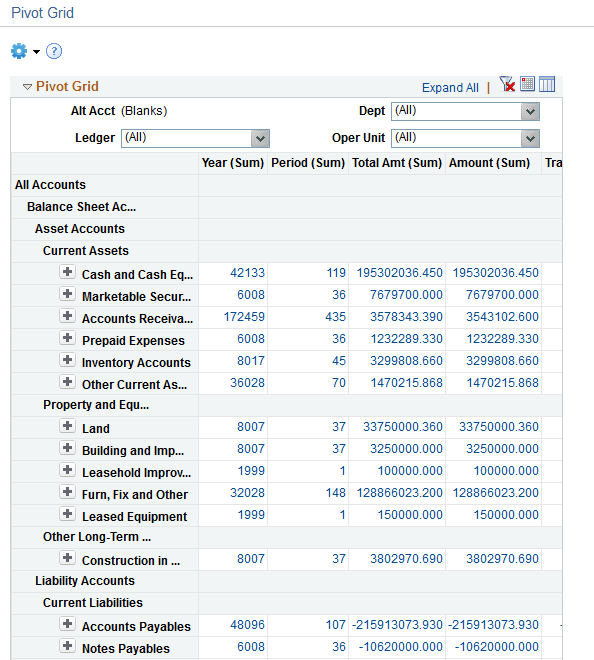
This example shows Pivot Grid Viewer displaying the results of a tree attached to a Pivot Grid row.
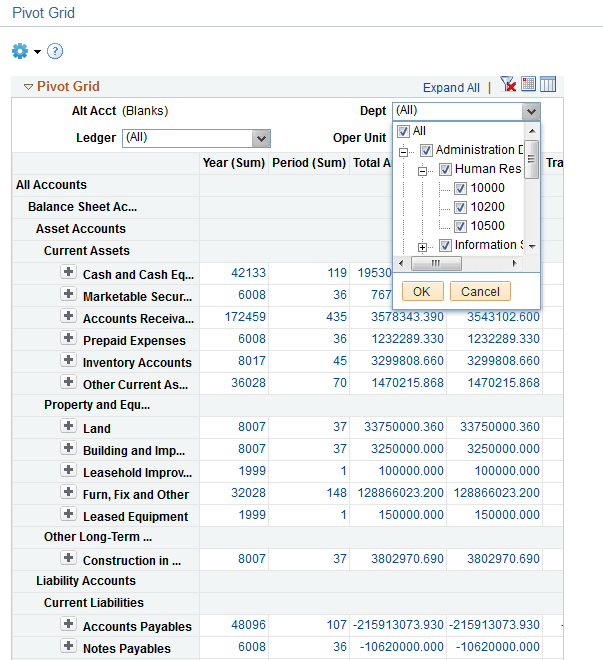
This example shows Pivot Grid Viewer displaying the results of a tree attached to the grid filter.
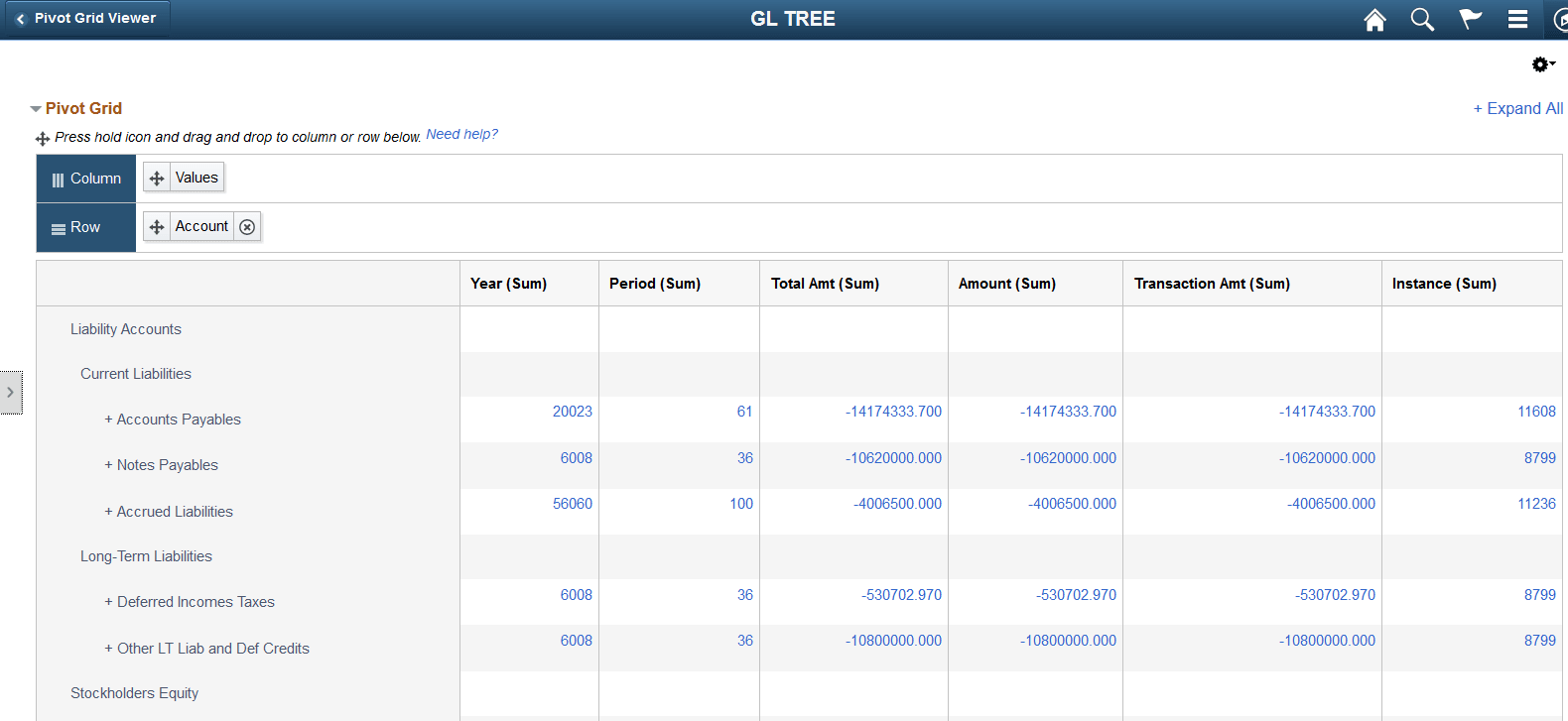
This example shows Pivot Grid Viewer in the Fluid mode displaying the results of a tree attached to the Pivot Grid model.
Related Topics