Configuring Facets as Mini Charts
Using the Specify Data Model Options page, Fluid Mode Options section, Facet Selection region, you are able to set the facet display options to display the single-select and multi-select facets as charts and as lists in fluid views. In the chart facets, you can drill down by clicking the chart data point in the facets. Note that the chart data point is highlighted after your selection.
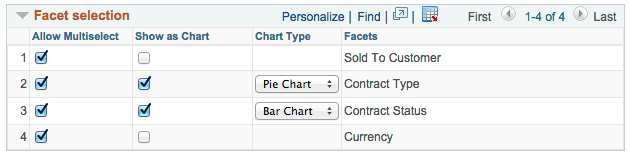
This example illustrates the fields and controls on the Specify Data Model Options page, Fluid Mode Options section, Facet Selection region. The Contract Type facet is set to appear as a pie chart and the Contract Status facet is set to appears as a bar chart. Other available chart types are Horizontal Bar Chart and Line Chart.
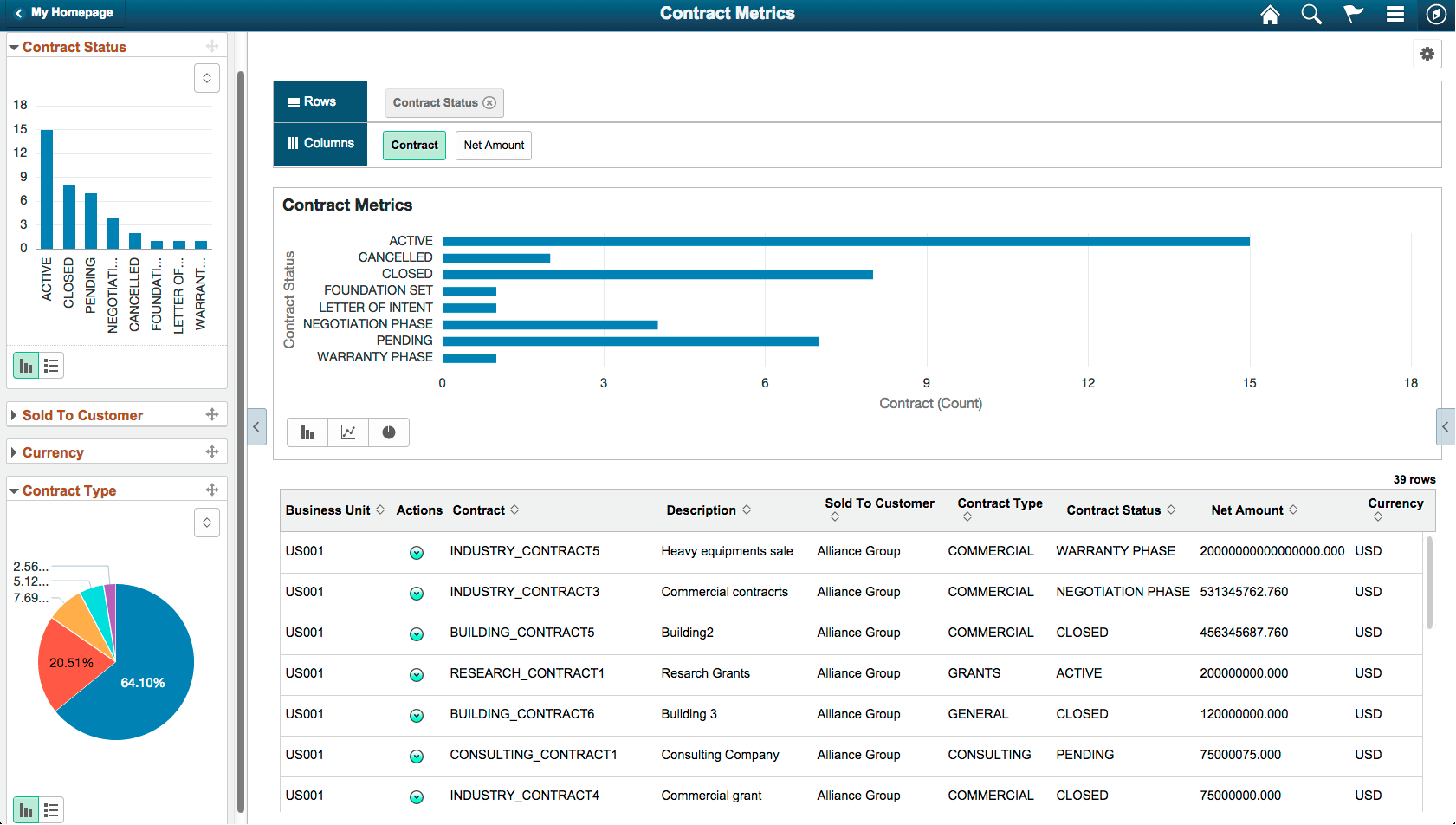
In this fluid view, the Contract Status facet appears as a bar chart, and the Contract Type facet appears as a pie chart.
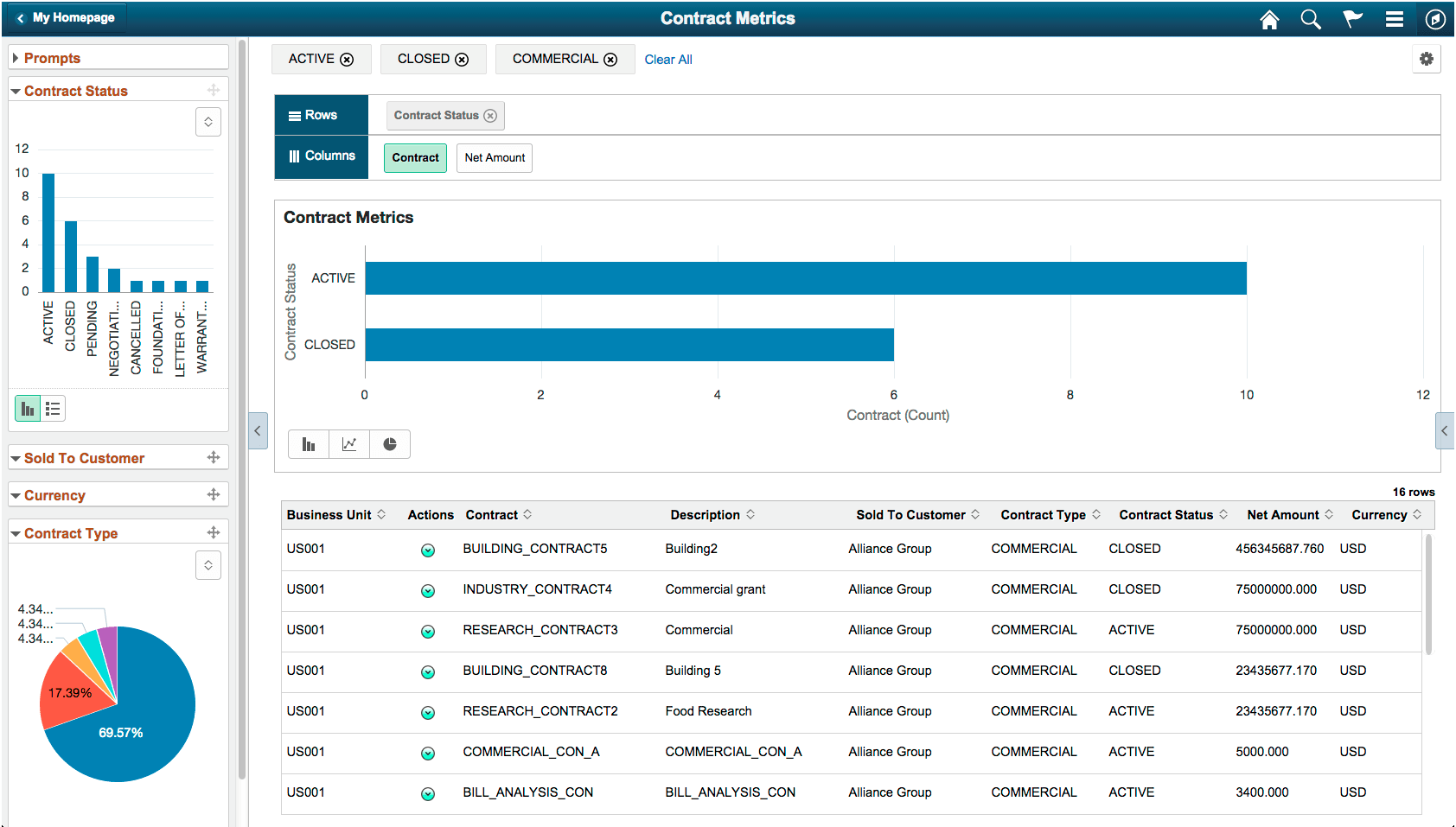
This example shows the results drilled down after users click the chart data point, which is highlighted after selection. Three facet values – ACTIVE, CLOSED, and COMMERCIAL – are applied from the chart by the user.
The settings in this section apply to both component search and Pivot Grid Viewer. This section is available for all model types in the fluid mode. These settings are also available in the Views Configuration page, where you can set the facet property at each view level.
For all single-select and multi-select filters (facets), use the toggle icon at the lower-left of each facet to switch that facet view between the chart view and the list view.
-
For single-select configuration, only one value can be applied for a facet dimension. It is recommended to use multi-select for facets.
-
For multi-select facets, the selections are applied on top of the previous selections.
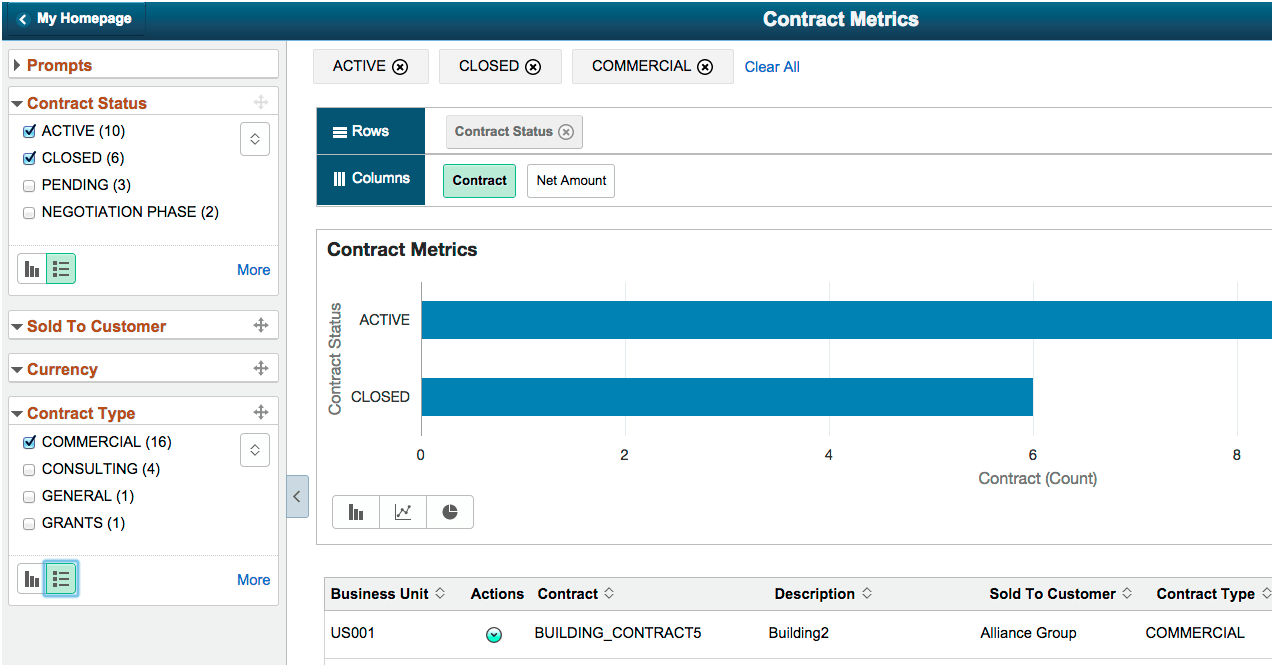
In this fluid view, the Contract Status and Contract Type facets are shown as lists. ACTIVE, CLOSED, AND COMMERCIAL values are selected.
Related Topics