Specifying Data Model Options
Use the Specify Data Model Options (PTPG_WIZ_OPT) page to define the initial layout of the grid and the chart.
Navigation:
Access the Specify Data Model Options page by selecting the Next button on the Specify Data Model Values page.
This example illustrates the fields and controls on the Specify Data Model Options page. Definitions for the fields and controls appear following the example.
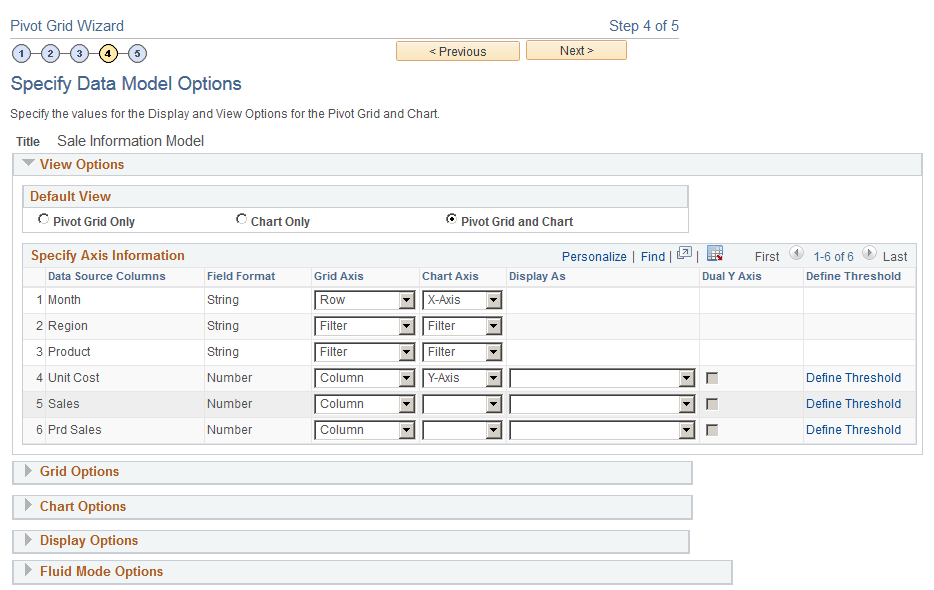
This page has six main sections: View Options, Grid Options, Chart Options, Display Options, and Fluid Mode Options. Each section can be expanded or collapsed.