Configuring Simplified Analytics
The ANALYTICSERVICE service enables analytic on a component page. This is configured from Manage Related Content Configurations page.
See Portal Technology: Configuring Related Content, Related Actions, and Menu and Frame Layouts.
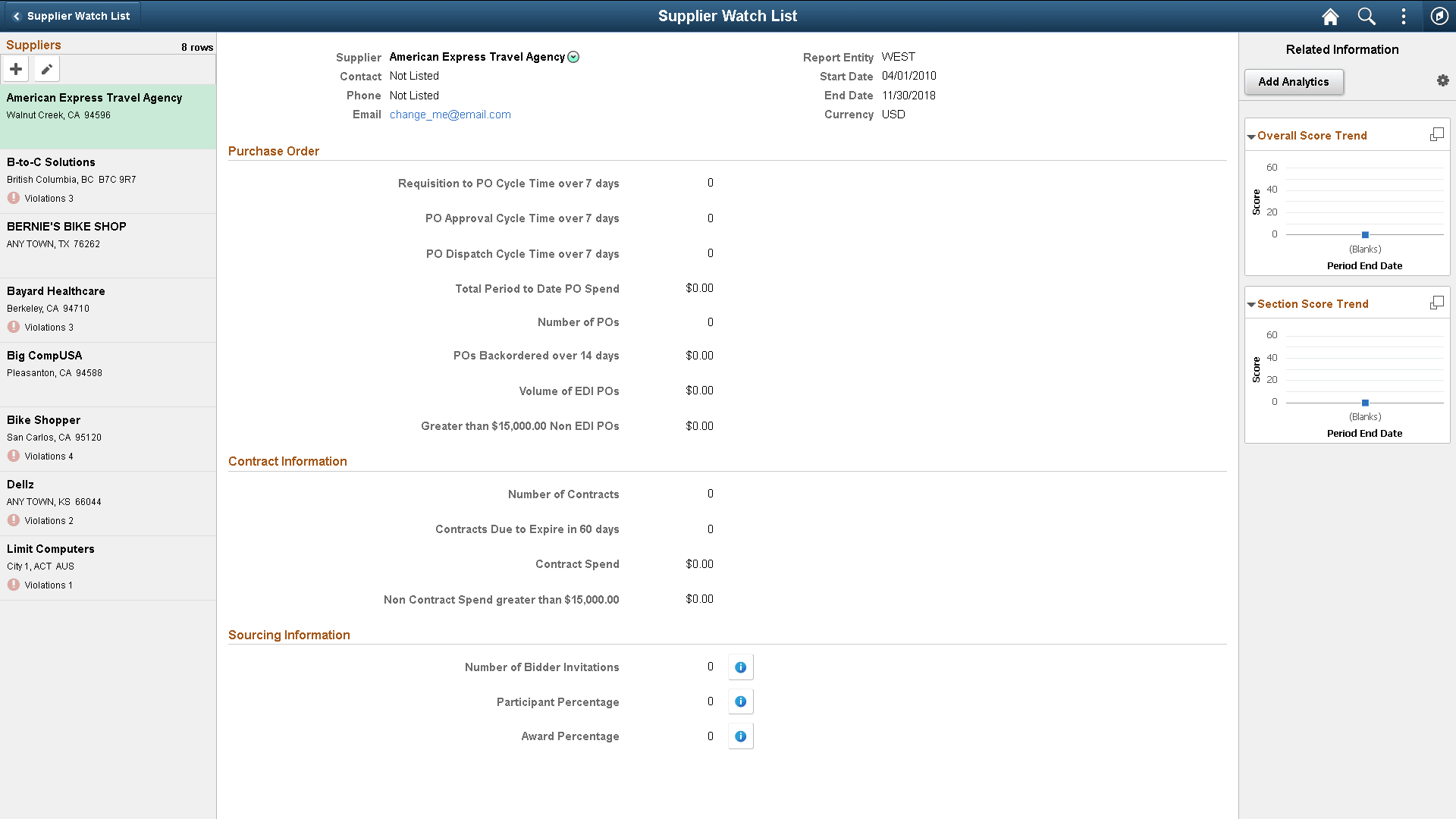
This example illustrates the Supplier Watch List application page with Unified Related Content Analytics pane visible on right. It even has ANALYTICSERVICE assigned as service. If the service was not assigned the Add Analytics button would not be visible.
Any simplified analytic requires a base template. A base template is a pivot grid model assigned to the component page with ANALYTIC SERVICE service. Consider:
-
Any Pivot Grid model in the database can be associated with the component as an analytic report template. However, instead of using an existing model in the database as described in this example, you can also create a new Pivot Grid model and then associate that model to the component as analytic report template.
-
No special setting is required in the Pivot Grid model to use it as a base template.