Creating a Base Template
Note:
The query behind the analytics template model should not use the same select field as a prompt or use the same select field as part of an expression that is used in the query criteria because the simplified analytics can create an error when that dimension is dragged as a fact while creating the analytic report.
To view the configurations of an existing Pivot Grid model that will be associated to the analytic report template:
-
Select Reporting Tools, Pivot Grid, Pivot Grid Wizard.
-
Search for and select the PO_NONCNTRCT_SPEND model.
-
Use the Specify Pivot Grid Properties page to view the name and add or change the title or description of the model.
-
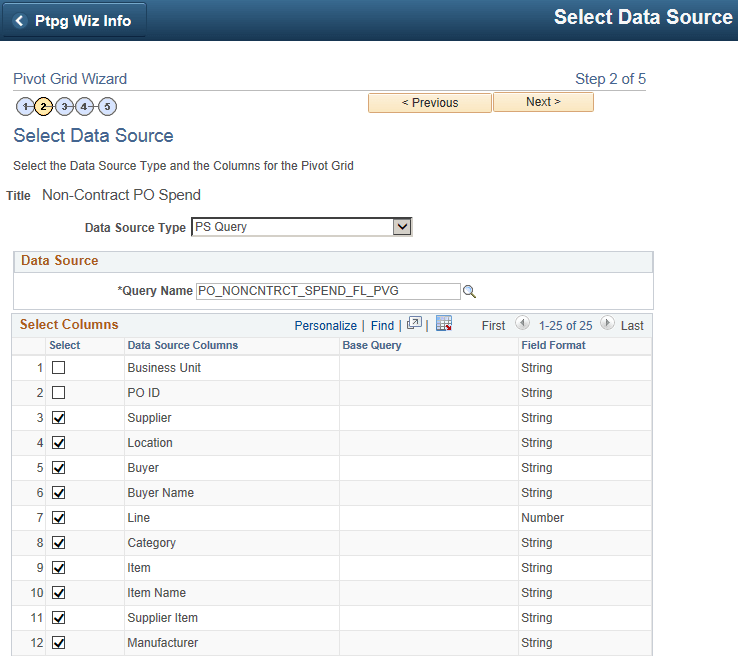
Click the Next button to access the Select Data Source page, where you can view or update the data source and output columns of the model.
This example illustrates the Select Data Source page displaying the data source and output columns of the PO_NONCNTRCT_SPEND model.
-
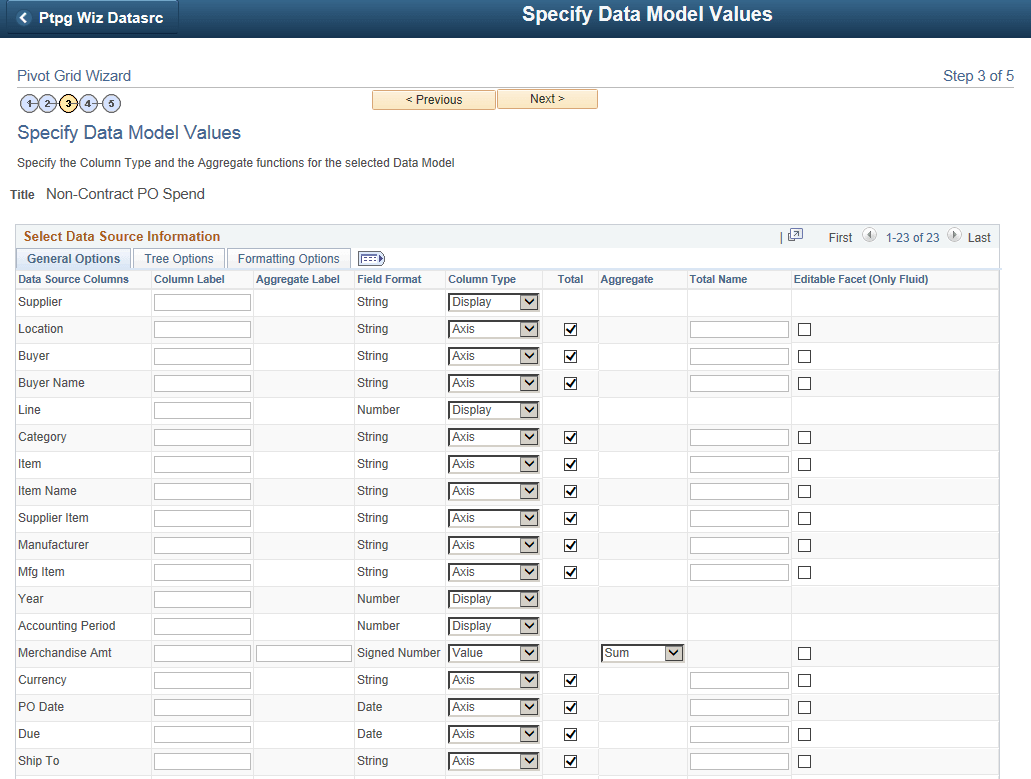
Click the Next button to access the Specify Data Model Values page, where you can view or update the settings of columns, aggregate functions, facets, tree options, formatting options, and so on.
This example illustrates the Specify Data Model Values page displaying the settings of the data source in the PO_NONCNTRCT_SPEND model.
-
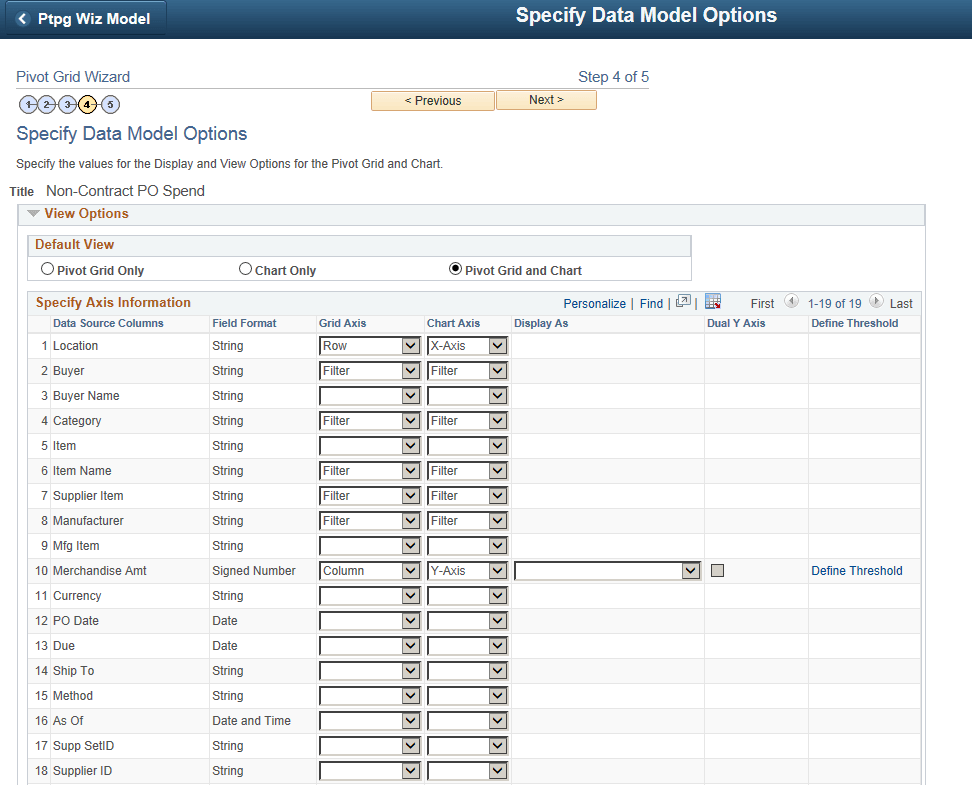
Click the Next button to access the Specify Data Model Options page, where you can view the initial layout of the grid and the chart.
This example illustrates the Specify Data Model Options page displaying the settings of the grid and chart for the PO_NONCNTRCT_SPEND model.
-
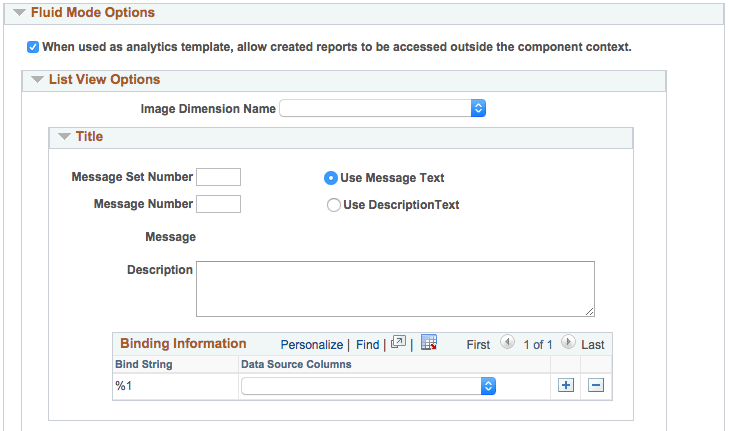
Scroll down and expand the Fluid Mode Options section.
This example illustrates the Specify Data Model Options page - Fluid Mode Options section.
-
Note the When used as analytics template, allow created reports to be accessed outside the component context option:
-
If this option is selected, the analytic reports that are created using the Create Analytics Wizard are not restricted, and these reports can be accessed from outside the component context.
-
If this option is deselected, the analytic reports that are created using the Create Analytics Wizard are restricted to be accessed within the component.
See Security Considerations When Using Simplified Analytics.
-
-
Accept all default settings in the PO_NONCNTRCT_SPEND report without any modification.