Expanding or Collapsing Nodes in a Grid
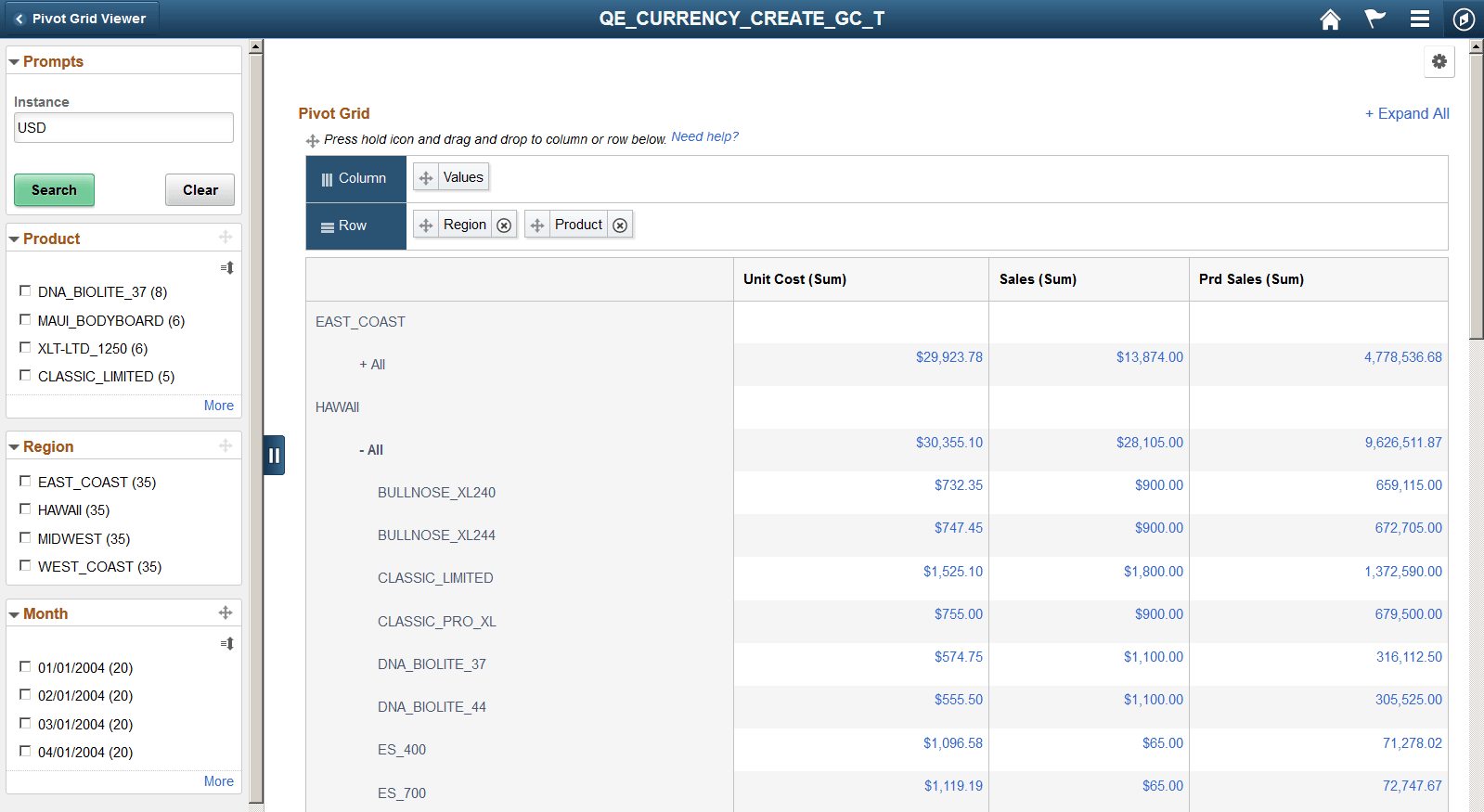
You can use the Expand All or Collapse All link at the top right of the grid to expand or collapse all data points in the grid. This function is similar to that in the classic Pivot Grid Viewer. However, to expand or collapse a single data point in the grid, you must click the +All link.
This example shows the Pivot Grid Only model after the product node (All) in the HAWAII region is expanded.