Exporting Filtered Data
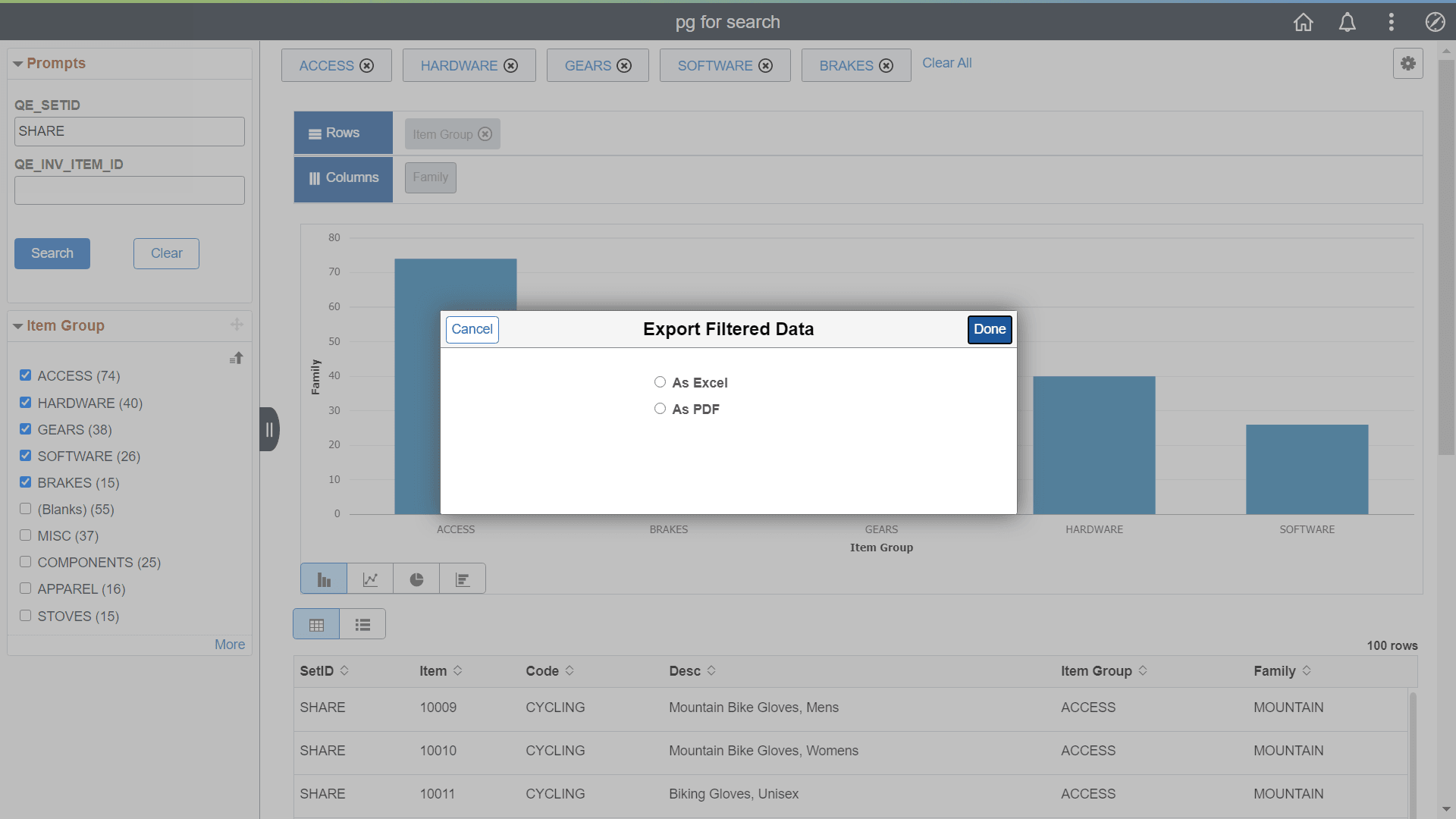
In Fluid mode, you can export the filtered PSQuery data as an Excel or PDF. After you export, the filtered data appears in a new window.
Note:
During the export process ensure that you do not move the mouse over the charts because it may render the charts incorrectly in the exported PDF. This will be fixed in a future release.
Note:
The exported chart image may have alignment and/or sizing issues in some form factors.
The following example illustrates the options available to export your filtered data in the Pivot Grid Viewer in Fluid view.
Exporting Filtered Data as Excel
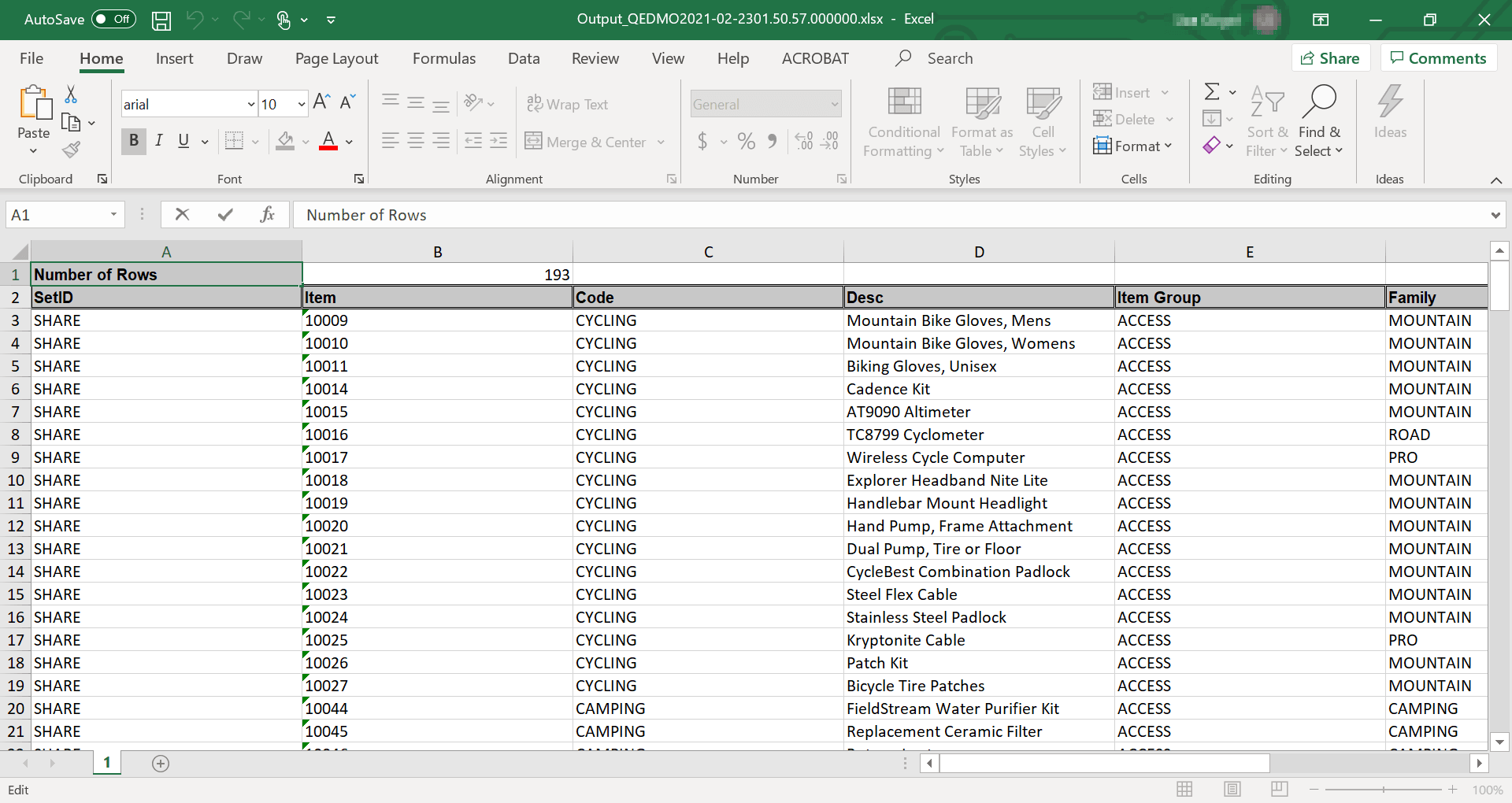
The following example illustrates how the exported filtered data is displayed as an Excel file in a new window.
Exporting Filtered Data as PDF
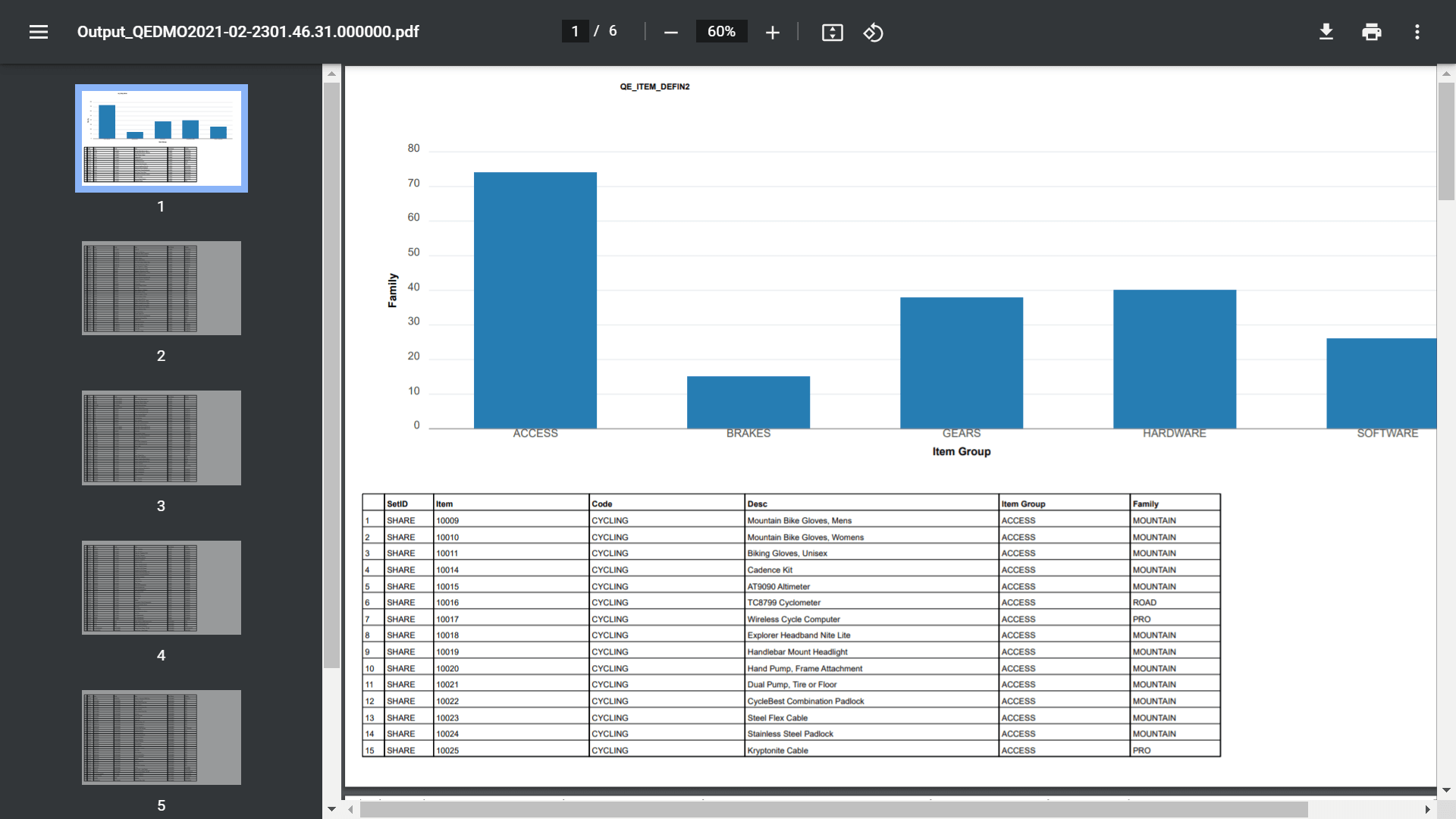
The following example
illustrates how the exported filtered data is displayed as a PDF file
in a new window.
Note:
During the export process ensure that you do not move the mouse over the charts because it may render the charts incorrectly in the exported PDF. This will be fixed in a future release.Note:
The exported chart image may have alignment and/or sizing issues in some form factors.