Including Detail View Results with Facets on the Application Page
To include the detail view with facets on the application page:
-
In Application Developer, open the application page for job opening HR_OPEN_JO_FLU.
-
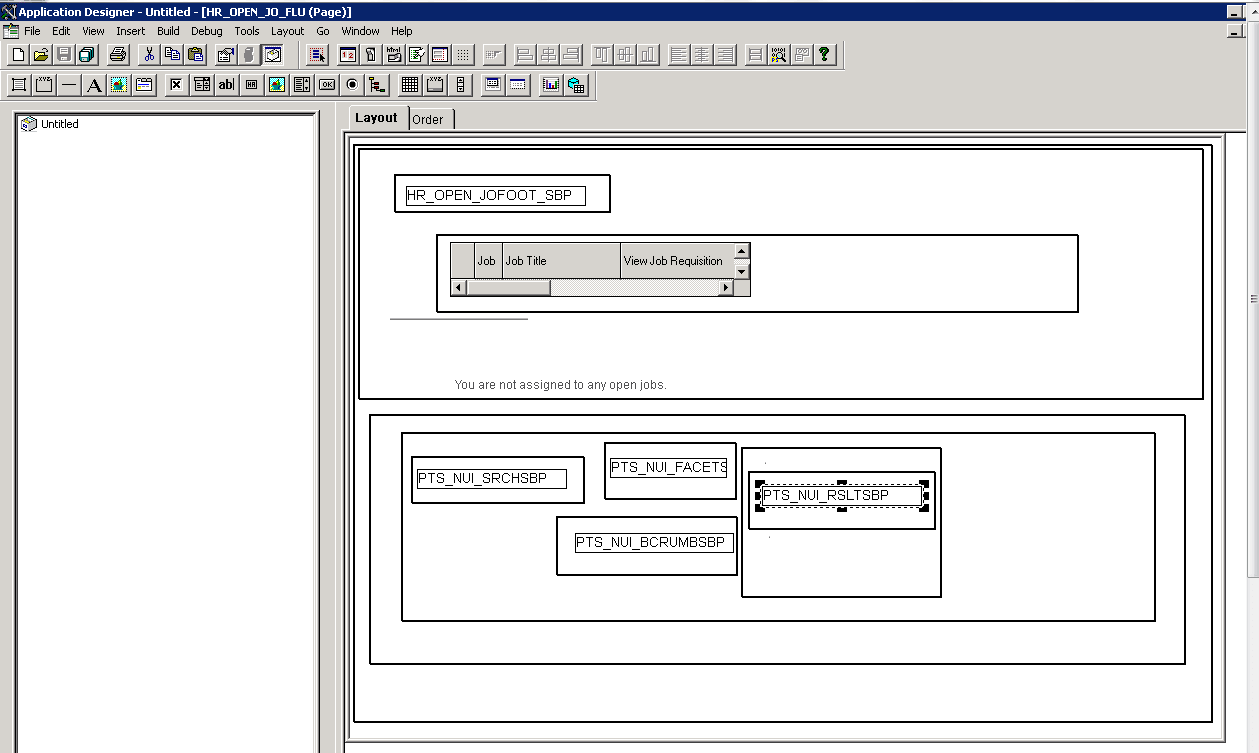
Insert the system search subpage PTS_NUI_SRCHSBP, facet subpage PTS_NUI_FACETSBP, locator link subpage PTS_NUI_BCRUMBSBT, and result subpage PTS_NUI_RSLTSBP.
This example shows the application page for Job Opening HR_OPEN_JO_FLU, including the system search subpage PTS_NUI_SRCHSBP, facet subpage PTS_NUI_FACETSBP, locator link subpage PTS_NUI_BCRUMBSBT, and result subpage PTS_NUI_RSLTSBP.
-
Return to the application fluid page Job Openings.
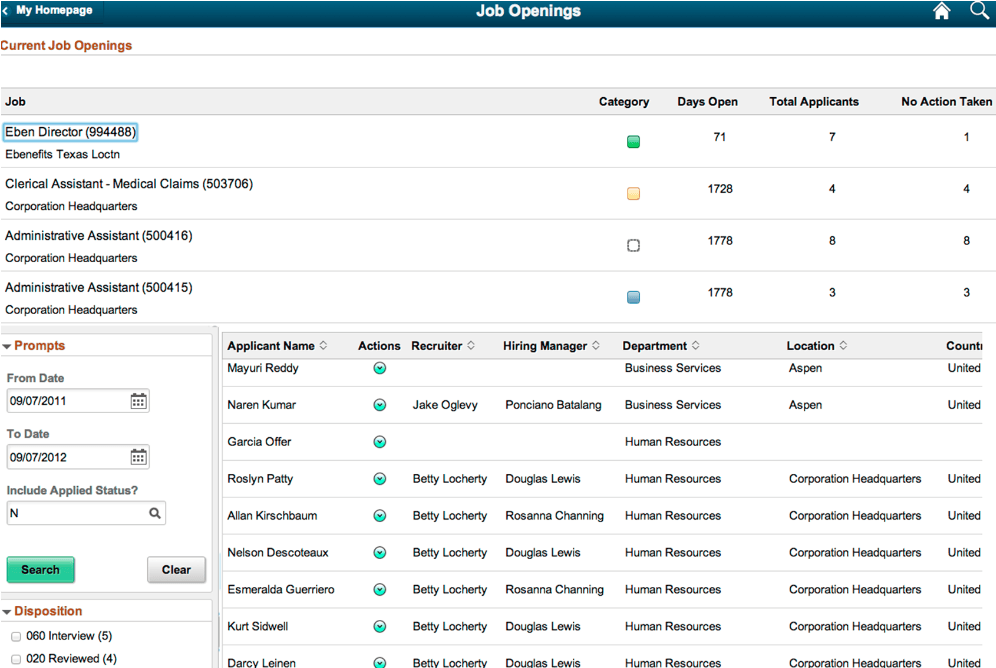
This example shows the rendered application fluid page Job Openings. The application page includes search options, facet, locator links, and detailed results view.