Performing Drill-Down on Aggregate Values on the Grid
Drill down the aggregate values like SUM, AVG, COUNT, and so on. Click the aggregate value displayed on the grid to display the data that comprise the aggregate value.
The example displays detailed data view of an aggregate view item.
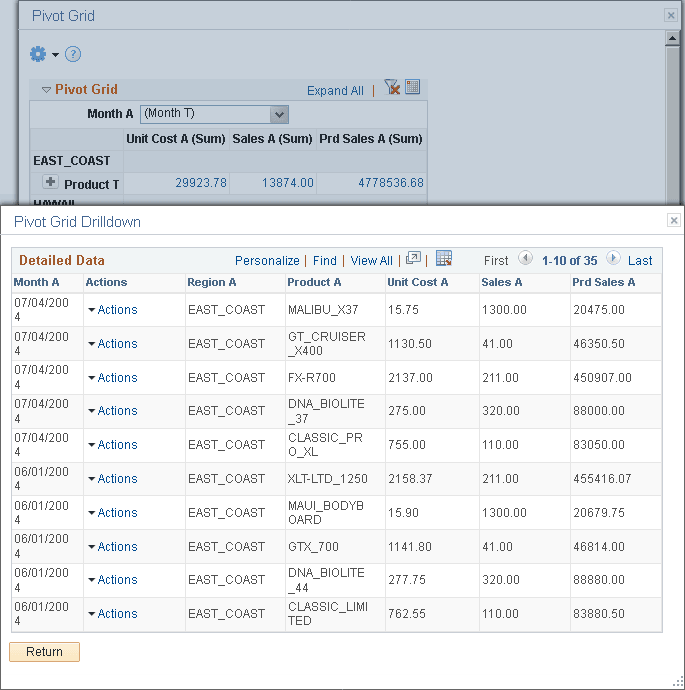
While performing drill down on the aggregate values, note that:
-
You may not be able to drill down an aggregate value if the authentication domain is incorrect. Set it up from the PeopleSoft Pure Internet Architecture or in the Web Profile page. See “Configuring General Portal Properties” in Portal Technology: Configuring Web Profiles.
-
When you move the mouse over the value numbers, they appear as underlined links. Click the links to open the Detailed Data view for the aggregate value.
-
If related actions are configured for the aggregate view, clicking the value number links populates a context menu with two options: Detailed View and Actions.