Performing Drill-Down on the Chart
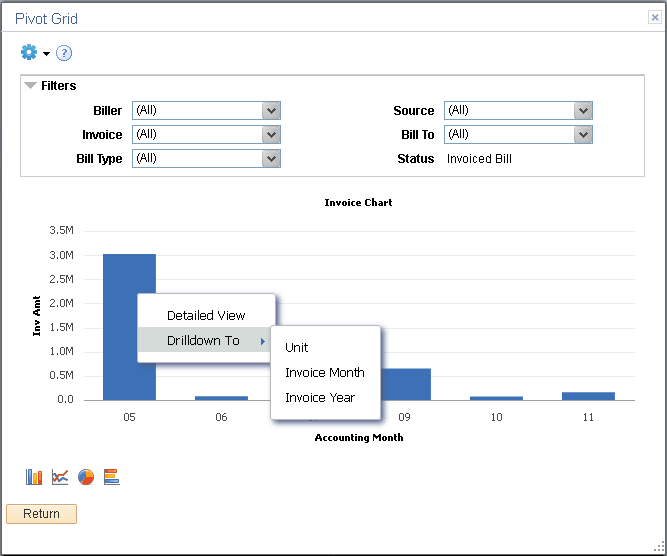
By clicking the data point on the chart, you can also drill down on aggregate values in the chart to view the detailed data that represents the chart data point; for example, a bar, a pie section, a line chart data point, and so on. If related actions are configured for the aggregate view, clicking the data point on the charts populates a context menu with three options: Detailed View, Drilldown To, and Actions.
This example shows the Drilldown To option that enables you to drill down to an axis value.