Viewing Component Drilling URLs
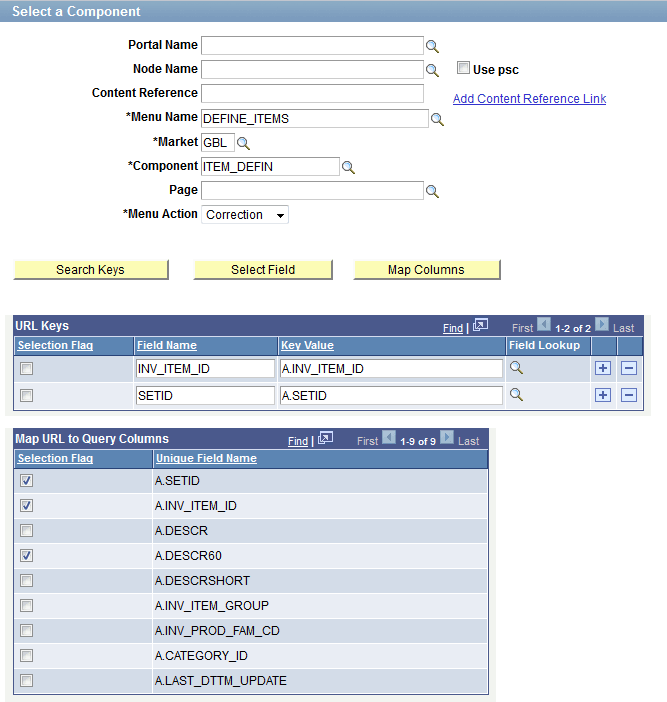
In this example of component drilling URL settings, the target component has keys INV_ITEM_ID and SETID mapped to the Key Value from the query field. At runtime, the values from the A.INV_ITEM_ID and A.SETID fields are passed as component keys. In the detailed view of the Pivot Grid, the mapped fields are shown as links. Clicking the URL links on the Detailed View enables you to access the target component.
This example shows a component drilling URL. The target component has keys INV_ITEM_ID and SETID which are mapped to the Key Value from the query field.
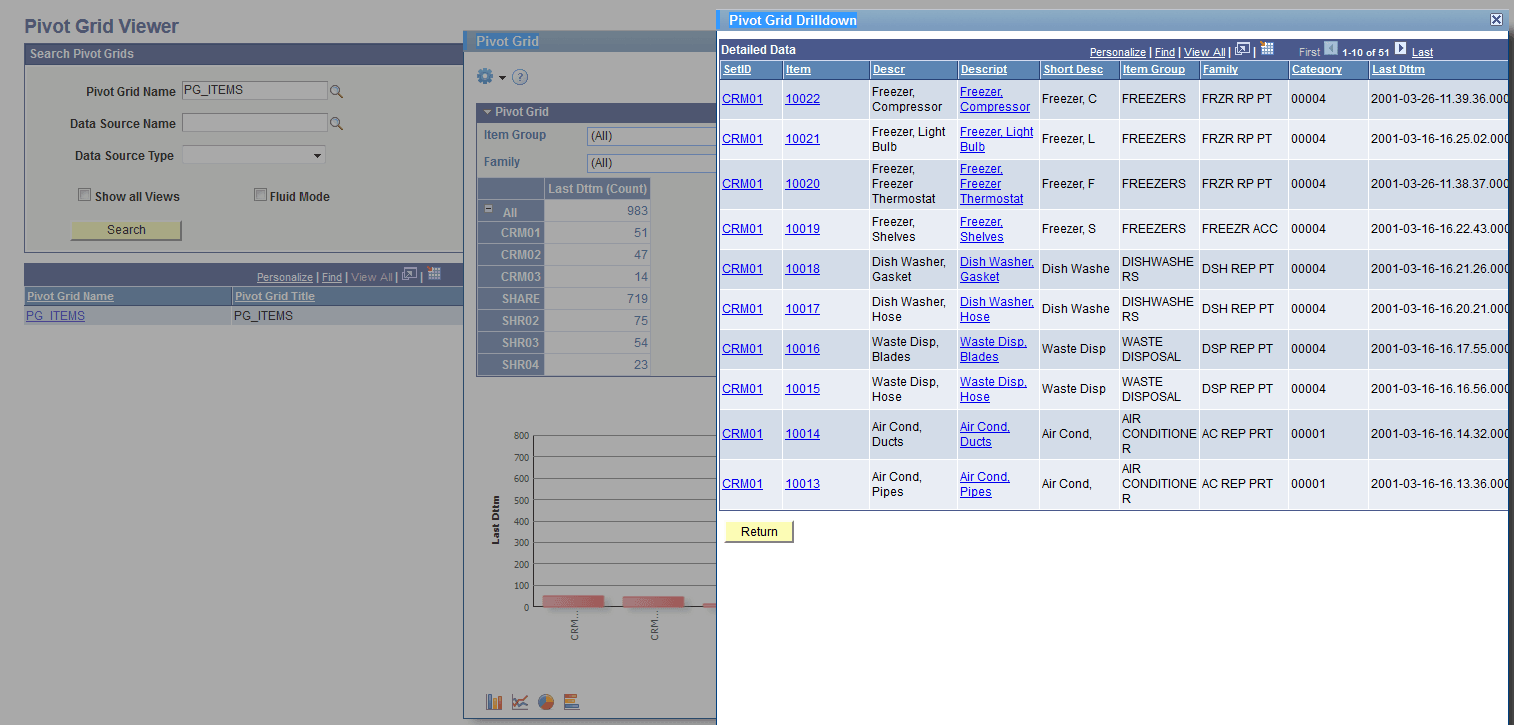
This example shows the detailed view of the Pivot Grid, including 51 items that have the SetID value of CRM01. Note that the mapped fields - SetID, Item, and Item Description - appear as links.
Note:
The Pivot Grid Wizard does not have any configuration for drilling URLs. If a drilling URL is defined in PeopleSoft Query - Query Manager, then it is available in the detailed view in the mapped columns. Using PeopleSoft Query - Query Manager, you can include the drilling URL as a field. If you include a drilling URL as a field, the drilling URL column should be set as a display-only column type in the Pivot Grid Wizard – Specify Data Model Values page.
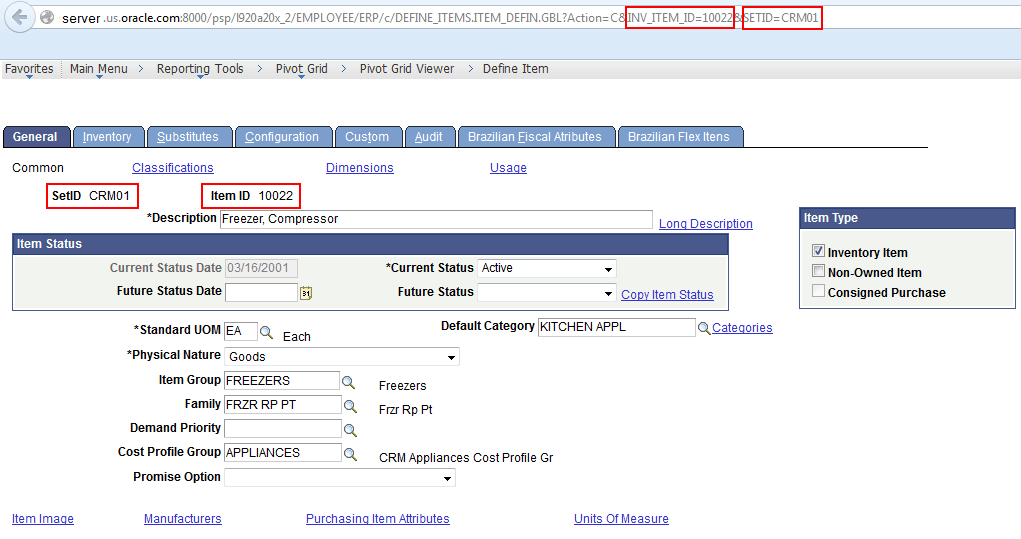
This example shows the target component after you click the link in the detailed view. The context values for SetID and Item ID are passed from the detail view row.
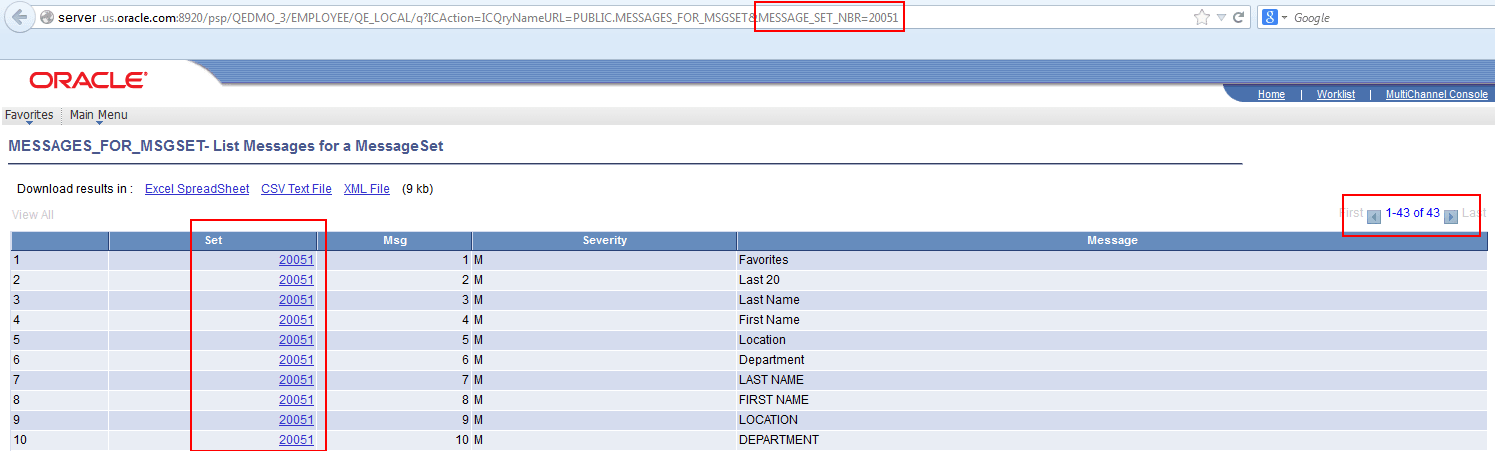
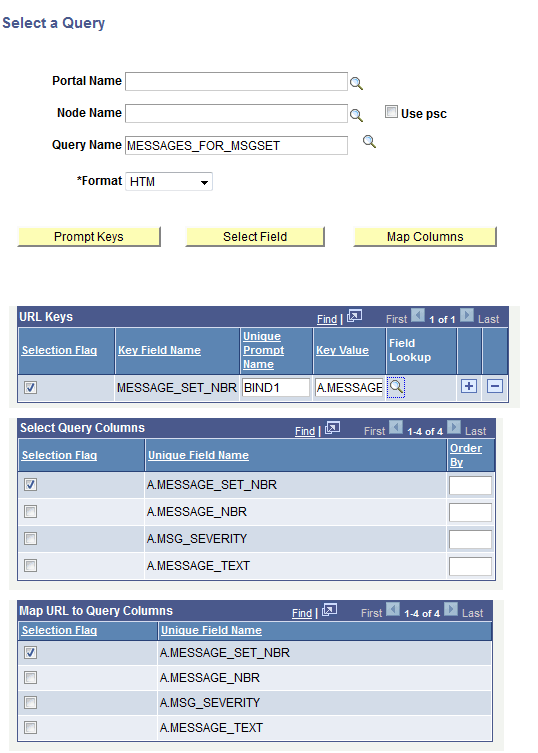
In the following examples, the drilling URL is set to Query URL type, and the message set number from the detailed view is passed as a prompt (MESSAGE_SET_NBR) to the target query MESSAGES_FOR_MSGSET and run.
This example shows the Select a Query page after you set the drilling URL to the Query URL type:
This example shows the Pivot Grid Drilldown - Detailed Data in Pivot Grid model. Note that the Pivot Grid model uses the MESSAGES_FOR_MSGSET query, and the default prompt value is set to 20051. There are 43 messages that have the Set value of 20051.
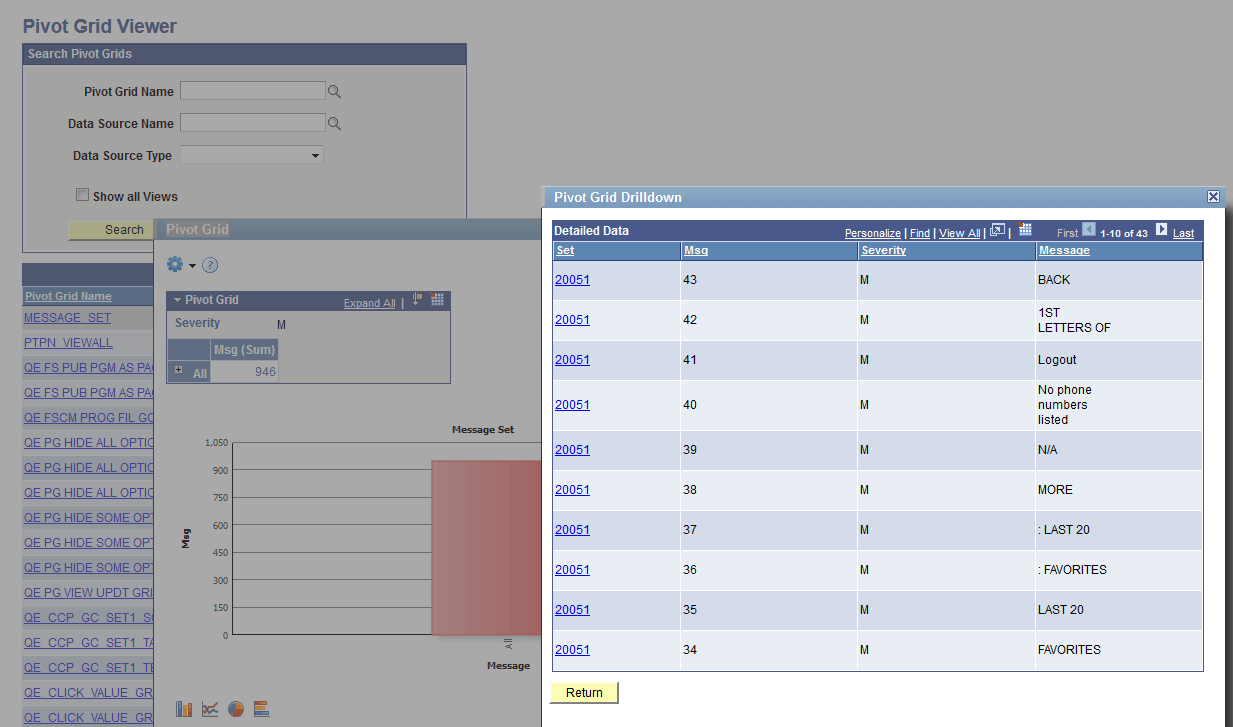
After you click the 20051 link in the Detailed View, data is drilled into to run the query with a prompt passed from the detail view row (Set).