Drilling URLs in the Fluid View
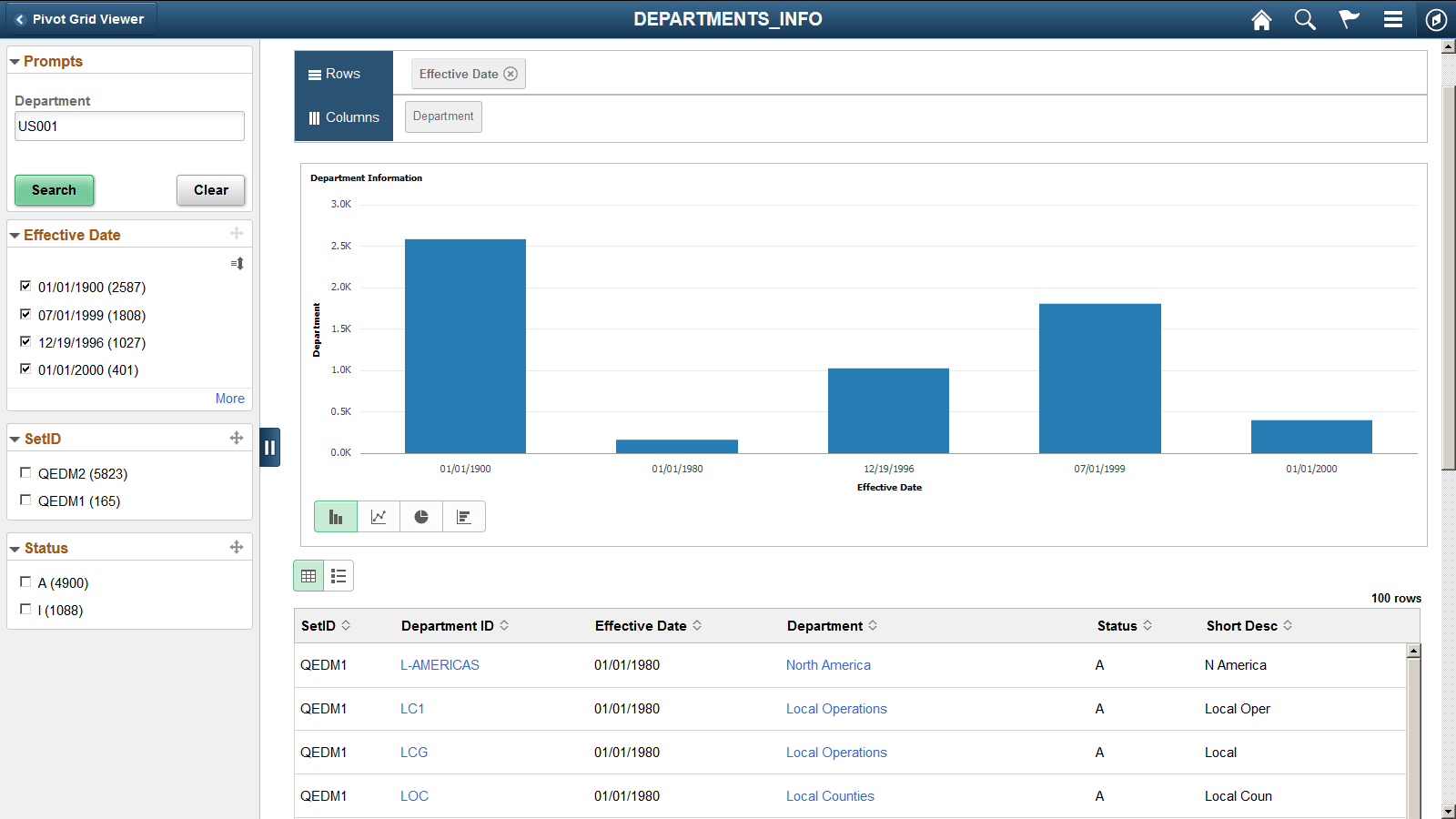
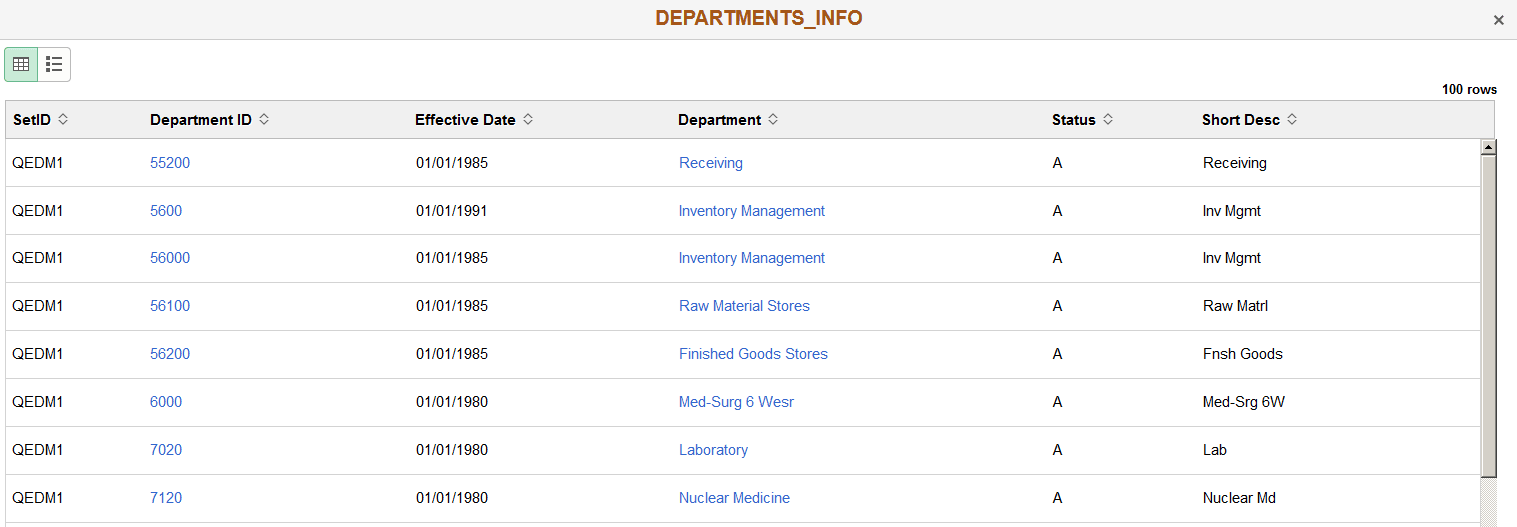
Drilling URLs are available in the detail grid and list views (the results view). The results grid columns that are mapped to query drilling URL are displayed as links. Note that in fluid viewer, you can set the display type of the target page to Full Page Modal, Modal Window, New Window, or Replace Window using Pivot Grid Wizard (Specify Data Model Options page, Fluid Mode Options section, Drilling URL Options subsection.) The drilling URLs is also available in the detail view that you open by clicking the grid data point.
This example shows the drilling URLs in the Chart Only view that is displayed in the Fluid mode. The results grid columns Department ID and Department are displayed as links.
This example shows the drilling URLs in the Fluid detailed view when the Pivot Grid model is set to Pivot Grid Only or Pivot Grid and Chart. The results grid columns Department ID and Department are displayed as links.
Note:
Drilling URLs are not available in the list view.
See Fluid Mode Options.