Copying Activity Guide Templates
Use the New Activity Guide Template Details page to create a copy of the selected activity guide template.
Navigation:
-
-
Click the Clone Template link for an activity guide template.
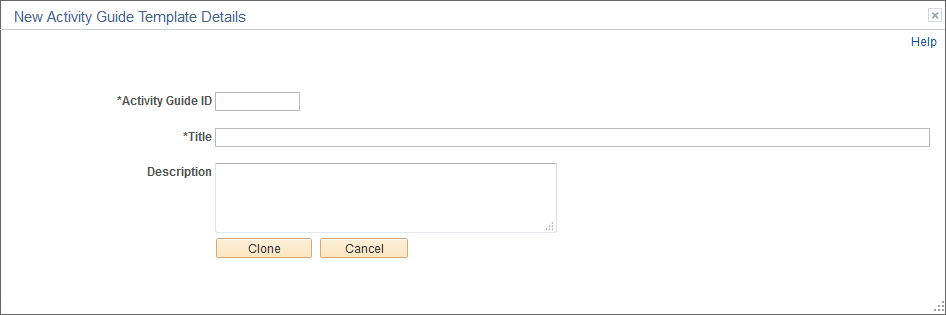
This example illustrates the fields and controls on the New Activity Guide Template Details page. You can find definitions for the fields and controls later on this page.
Note:
When you copy an activity guide template, the IDs for all action items will be updated to new and unique values in the new template.
| Field or Control | Description |
|---|---|
|
Activity Guide ID |
Enter an unique identifier for the template. When you save the template, the system will fill characters up to the 10-character maximum. |
|
Title |
Enter a name for the template. |
|
Description |
Enter a description for the template. |
|
Clone |
Click the Clone button to create a new activity guide template. |