Creating Generic PeopleSoft URL Service Definitions
On the Define Related Content Service page, select the Generic PeopleSoft URL URL type.
This example illustrates the fields and controls on the Define Related Content Service page for a generic PeopleSoft URL. You can find definitions for the fields and controls later on this page.
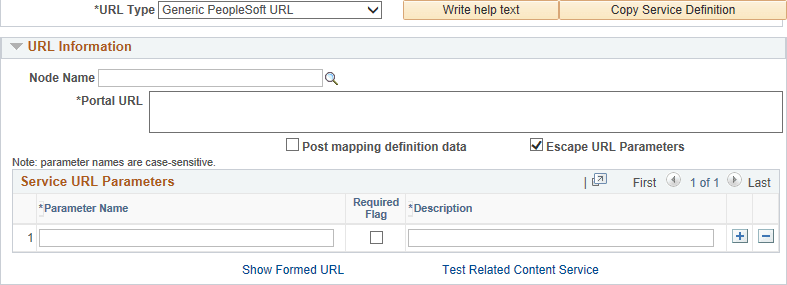
URL Information
| Field or Control | Description |
|---|---|
|
Node Name |
Optionally, select a defined node name. |
|
Portal URL |
Enter the complete or partial URL in this field. If you selected a defined node, then enter the partial URL here. The result is the concatenation of the selected node's URI text and the portal URL that you entered. |
Service URL Parameter
Enter the names of all parameters that the component, iScript, or other PeopleSoft definition must have to render the service in the related content service frame.
PeopleSoft Generic URL Example
This is an example of a fully formed generic PeopleSoft URL:
http://myserver.example.com/psc/ps/EMPLOYEE/PT_LOCAL/c/NUI_FRAMEWORK.PT_AGSTARTPAGE_NUI.GBL?CONTEXTIDPARAMS=TEMPLATE_ID:NAVCOLL_COMP&scname=PTGP_NAV_COLL