Creating Embeddable Pagelet Service Definitions
On the Define Related Content Service page, select the Embeddable Pagelet URL type.
This example illustrates some of the fields and controls on the Define Related Content Service page for an embeddable pagelet. You can find definitions for some of the fields and controls later on this page.
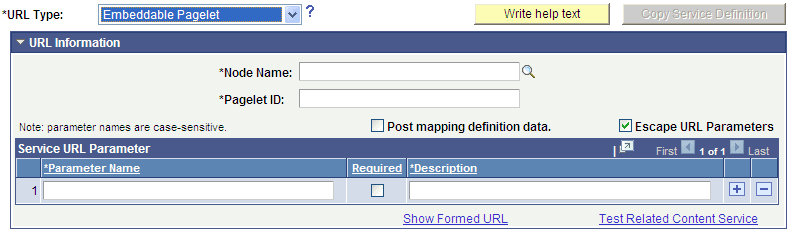
URL Information
| Field or Control | Description |
|---|---|
|
Pagelet ID |
Enter the unique identifier of the embeddable pagelet created in Pagelet Wizard. |
Service URL Parameters
Click the Populate parameters button to populate the Service URL Parameter grid with parameters that you defined as context sensitive in step three of the pagelet construction in Pagelet Wizard.
If the pagelet resides in the same system, as soon as you select the node, a lookup appears next to the pagelet ID field. When clicked, the lookup lists all of the available embeddable pagelets in the system.
Embeddable Pagelet URL Example
This is an example of a fully formed embeddable pagelet URL:
http://myserver.example.com/psc/ps/EMPLOYEE/PT_LOCAL/s/WEBLIB_PTEMBED.ISCRIPT1.FieldFormula.IScript_EmbeddedPageletBuilder?PAGELETID=USER_ROLES&OPRID=PTDMO&.MAXROWS=10