Reconfiguring the Default Template
To reconfigure the default template:
-
Select
-
In the Folders group box, click Portal Objects, and then click Templates.
-
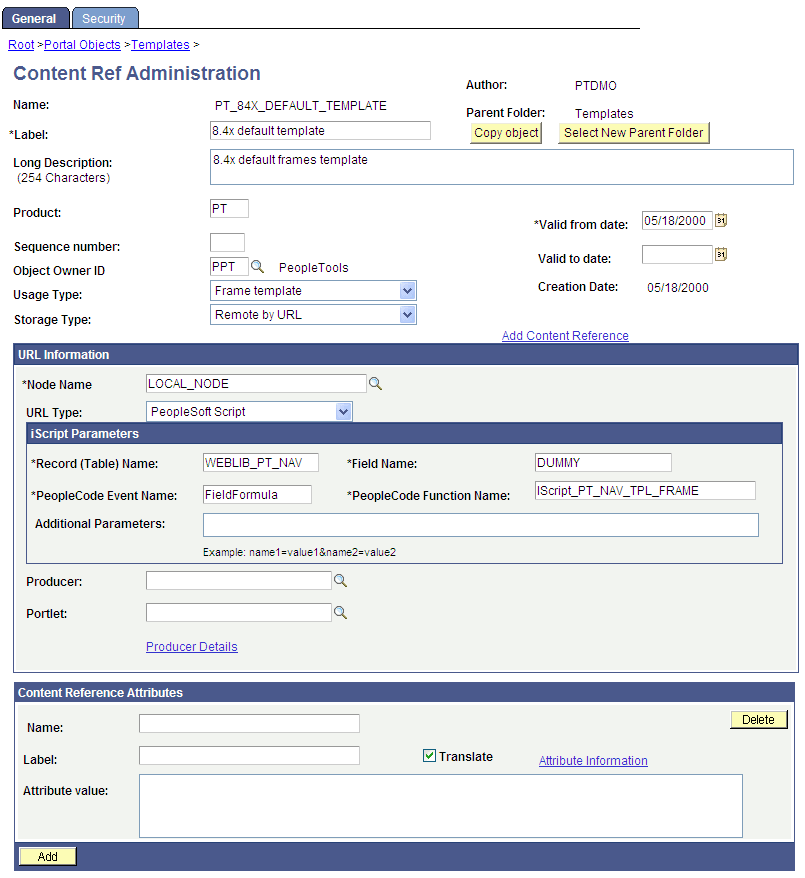
Click the Edit link for the 8.4x default template.
-
In the Field Name field, delete the existing value and enter DUMMY.
-
Save the component.
After completing the preceding reconfiguration steps, the 8.4X DEFAULT_ TEMPLATE template will appear similar to the following:
-
In the navigation path, click the Templates link.
-
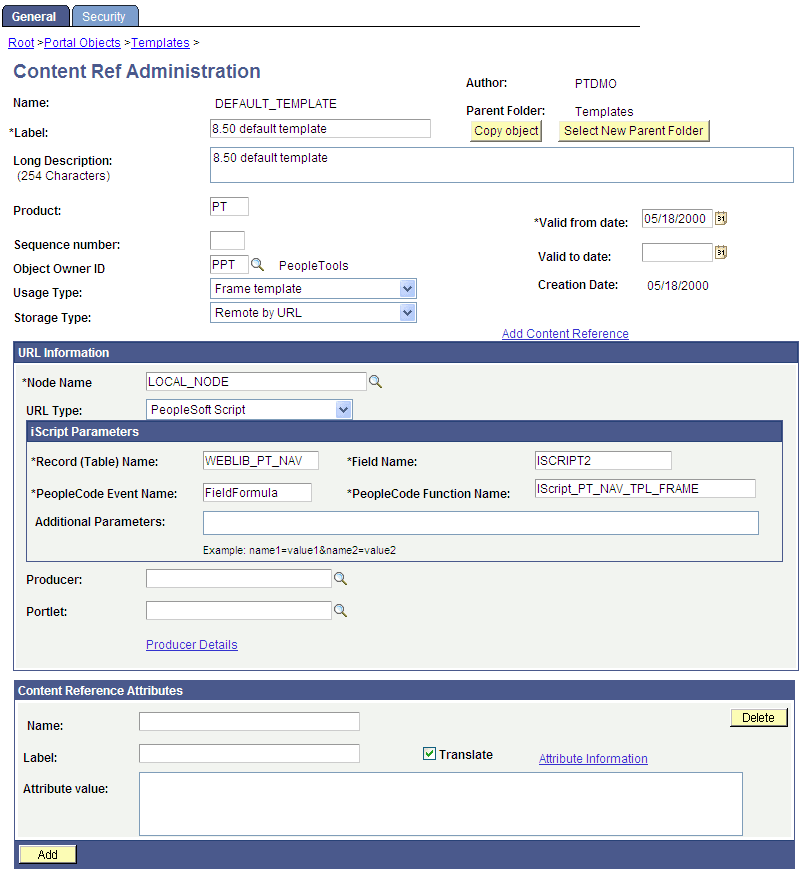
Click the Edit link for the 8.50 default template.
-
In the Field Name field, replace ISCRIPT1 with ISCRIPT2.
-
Change the template Usage Type from Inline frame template to Frame template.
-
Save the component.
After completing the preceding reconfiguration steps, the 8.50 DEFAULT_ TEMPLATE template will appear similar to the following: