Selecting a Free Text Data Source
Access the Select Data Source page. (Select On the Specify Pagelet Information page, click the Next button.)
Select Free Text in the Data Type field.
This example illustrates the fields and controls on the Select Data Source page for a Free Text data source. You can find definitions for the fields and controls later on this page.
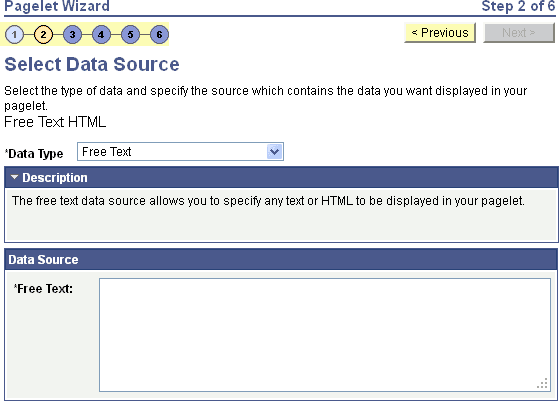
Use the free text data source to present complex formatted HTML in a pagelet. Select this data type instead of the HTML data type when you want to control some aspects of the HTML code.
Data Source
| Field or Control | Description |
|---|---|
|
Free Text |
Use the free text data type to present free-form HTML or simple text in a tile. You can use the following HTML tags only: <h1>, <h2>, <h3>, <h4>, <h5>, <h6>, <br>, <p>, <b>, <i>, and <img>. Within the <img> tag, src, width, height, and alt are allowable attributes. Use the %Image meta-HTML element to identify an image to include within the HTML: Note: To activate the Next button, tab out of the Free Text field. |
When you use free text as the data source for a pagelet, there are no configurable data source parameters. Consequently, no end-user personalization exists for free text data source pagelets. When creating an free text data source pagelet, you skip step 3 and proceed to step 4, in which you select the pagelet display format.