Selecting an HTML Data Source
Note:
The Secure PW Administrator role is required to be able to create or update pagelet definitions that use an HTML data source.
Access the Select Data Source page. (Select On the Specify Pagelet Information page, click the Next button.)
Select HTML in the Data Type field.
This example illustrates the fields and controls on the Select Data Source page for an HTML data source. You can find definitions for the fields and controls later on this page.
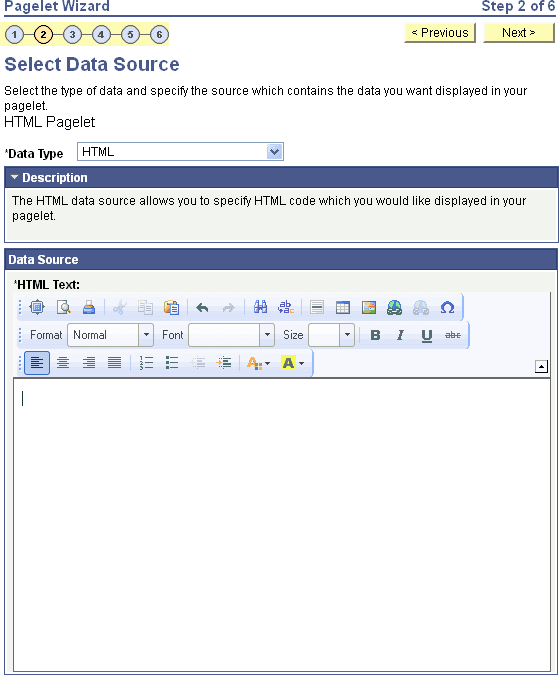
Use the HTML data source to present simple, formatted HTML in a pagelet.
Data Source
| Field or Control | Description |
|---|---|
|
HTML Text |
Enter the HTML code that you want to use as the data source for the pagelet. You can enter an HTML document or fragment. However, complex HTML code that specifies custom CSS, JavaScript, or embedded media might not appear correctly in a pagelet after the rich text editor post-processes the entered data. Ensure that the HTML that you enter generates content that is appropriately sized for pagelet display. Note: Source code mode is disabled in the rich text editor on this field. This is for security reasons because malicious code could be inserted in source code mode. Note: To activate the Next button, click the Save button. |
When you use HTML as the data source for a pagelet, there are no configurable data source parameters. Consequently, no end-user personalization exists for HTML data source pagelets. When creating an HTML data source pagelet, you skip step 3 and proceed to step 4, in which you select the pagelet display format.