Selecting an IB Connector Data Source
Access the Select Data Source page. (Select On the Specify Pagelet Information page, click the Next button
Select IB Connector in the Data Type field.
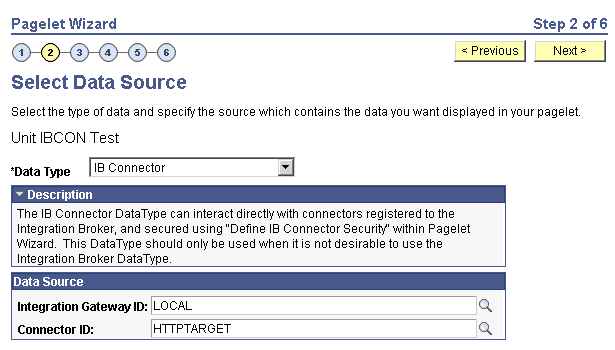
This example illustrates the fields and controls on the Select Data Source page for an IB Connector data source. You can find definitions for the fields and controls later on this page.
Data Source
| Field or Control | Description |
|---|---|
|
Integration Gateway ID |
Select the Integration Broker gateway that contains the connector that you want to use to supply content to the pagelet. |
|
Connector ID |
Select the connector that you want to use to supply content to the pagelet. |