Selecting an Integration Broker Data Source
Access the Select Data Source page. (Select On the Specify Pagelet Information page, click the Next button.)
Select Integration Broker in the Data Type field.
This example illustrates the fields and controls on the Select Data Source page for an Integration Broker data source. You can find definitions for the fields and controls later on this page.
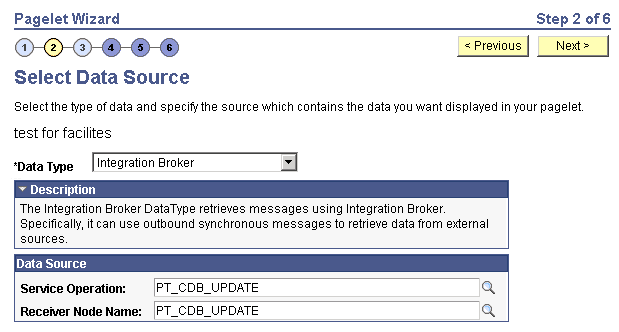
You can use an outbound synchronous message defined in the local database as a data source for a Pagelet Wizard pagelet. Outbound, synchronous messages are messages for which a request is made to a target system and a response is expected in real time.
The message can be either structured or unstructured. If the message is structured, then a record structure has been associated with the outbound message and that record structure is translated into data source parameters during step 3. If the message is unstructured, then no record structure has been associated with the outbound message, so no data source parameters can be supplied and Pagelet Wizard bypasses step 3.
Typically, because outbound synchronous messages are designed to run in real time, they are associated with transactions with good performance records. As with all pagelet data sources, you should understand that pagelet performance and homepage performance are tied to the performance of the underlying Integration Broker message and target transaction. You should review the performance of the target transaction before creating an Integration Broker message-based pagelet.
Data Source
| Field or Control | Description |
|---|---|
|
Service Operation |
Select the requesting service operation that you want to be the data source for the pagelet. |
|
Receiver Node Name |
Select the node that is associated with the selected requesting service operation. |
Data Source Details
If the selected message is structured, the Data Source Details group box displays input and output records and fields that are defined in the message structure.