Selecting a Navigation Collection Data Source
Access the Select Data Source page. (Select On the Specify Pagelet Information page, click the Next button.)
Select Navigation Collection in the Data Type field.
This example illustrates the fields and controls on the Select Data Source page for a navigation collection data source. You can find definitions for the fields and controls later on this page.
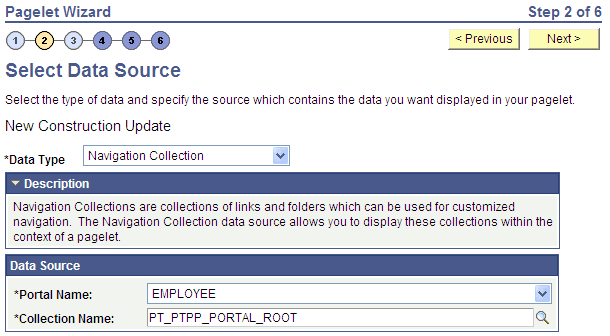
The navigation collection that you use as the data source must already have been created using the navigation collections pages. However, the navigation collection does not need to exist in its final form. Any changes that you make to the underlying navigation collection used as the data source are immediately reflected on any pagelets created from that navigation collection.
Note:
Although you can create a navigation collection pagelet directly from the navigation collections component, pagelets created using this component cannot be maintained in Pagelet Wizard. Only navigation collection pagelets created specifically with Pagelet Wizard can be maintained in Pagelet Wizard.
See Understanding Navigation Collections.
Data Source
| Field or Control | Description |
|---|---|
|
Portal Name |
Select the portal that contains the navigation collection for the pagelet. |
|
Collection Name |
Select the name of the navigation collection that you want to use to create the pagelet. |