Selecting a URL Data Source
Access the Select Data Source page. (Select On the Specify Pagelet Information page, click the Next button.)
Select URL in the Data Type field.
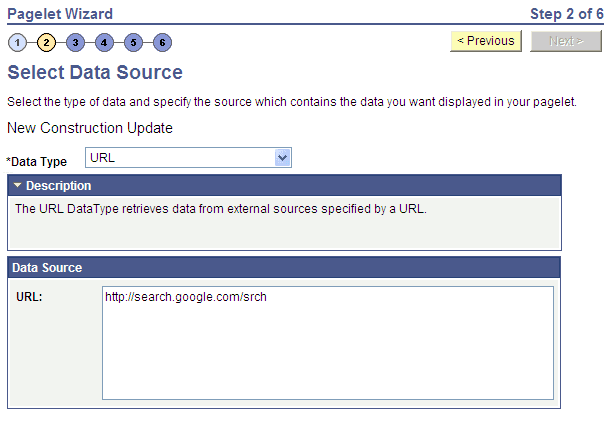
This example illustrates the fields and controls on the Select Data Source page for a URL data source. You can find definitions for the fields and controls later on this page.
| Field or Control | Description |
|---|---|
|
URL |
Enter any HTTP-accessible URL as the data source for the pagelet. The URL may or may not require query string parameters that can be specified and personalized as end-user prompts within Pagelet Wizard. For example, the Yahoo! search page URL takes the form http://search.yahoo.com/search?p=searchterm. If you want to make searchterm a user-specified data parameter, enter a URL field value of http://search.yahoo.com/search. In step 3 on the Specify Data Source Parameters page, add a data source parameter Field Name value of p and set its Usage Type field value to User Specified with a default value. Pagelet Wizard then adds the ?p=searchterm value, with the searchterm value able to be personalized by the user, to the URL before it retrieves the content to the pagelet. |