Step 1: Tile Basic Information
Use the Tile Basic Information page to specify the ID and title for the tile.
Navigation:
-
.
-
Click the:
-
Create a new Tile button to create a new tile definition.
-
Edit button for an existing tile to edit the definition.
-
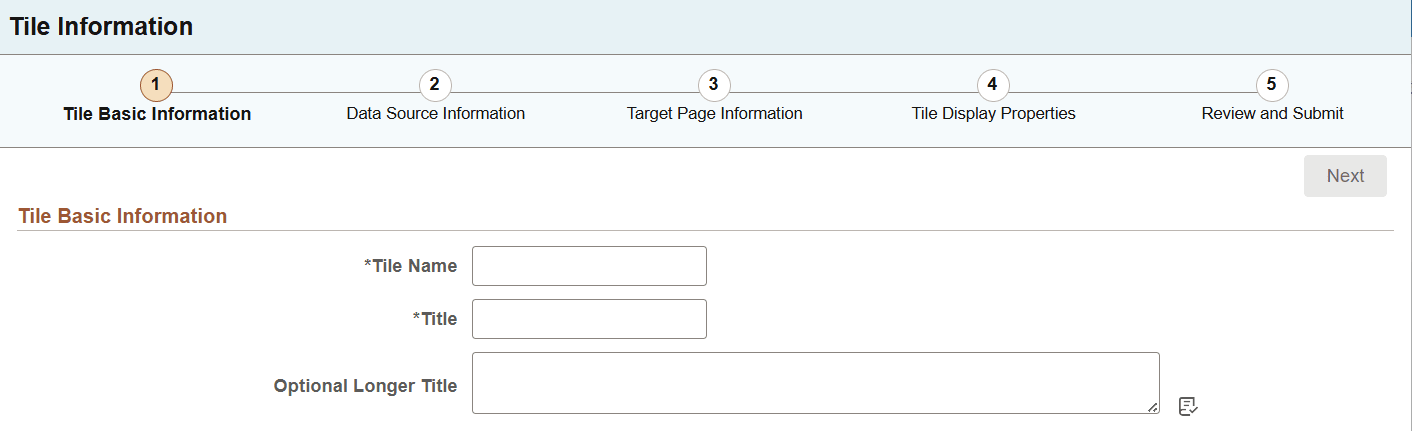
This example illustrates the fields and controls on the Tile Basic Information page. You can find definitions for the fields and controls later on this page.
| Field or Control | Description |
|---|---|
|
Tile Name |
Enter an ID for the tile definition. Each tile that you build with Tile Wizard must have a unique ID. |
|
Title |
Enter a descriptive title for the tile. |
|
Optional Longer Title |
Enter a descriptive title that is more than 30 characters. Currently, the tile label has a limit of 30 characters. You should note when using longer titles on standard tiles (tiles that existed prior to PeopleTools 8.62 release and do not use the 8.62 styling) that the width of the tiles may require to be increased to display the longer label because the standard tiles do not wrap the title. Note: The longer title is not applicable to NavBar tiles. |