Step 2: Data Source Information - Free Text
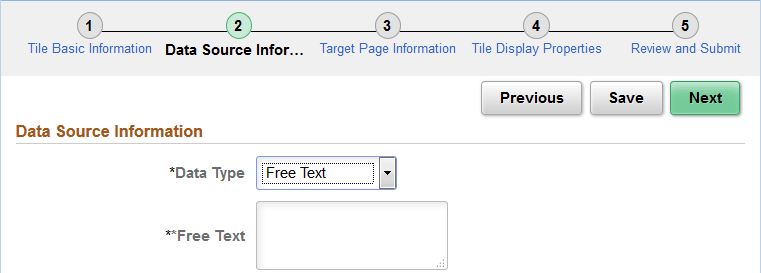
Use the Data Source Information page for the Free Text data type to enter free text as the data source.
Navigation:
-
On the Tile Basic Information page, click the Next button.
-
Select the Free Text data type.
This example illustrates the fields and controls on the Data Source Information page for the Free Text data type. You can find definitions for the fields and controls later on this page.
| Field or Control | Description |
|---|---|
|
Free Text |
Use the free text data type to present free-form HTML or simple text in a tile. You can use the following HTML tags only: <h1>, <h2>, <h3>, <h4>, <h5>, <h6>, <br>, <p>, <b>, <i>, and <img>. Within the <img> tag, src, width, height, and alt are allowable attributes. Use the %Image meta-HTML element to identify an image to include within the HTML: Note: For translatable text in the free text data type, use %Message(message_set,message_num) MetaHTML for the text content. |