Storage Group Management Page
Use the Storage Group Management page to create an alias to the storage group parent folder on the web server and associate your PeopleCode implementation to the parent folder.
Navigation:
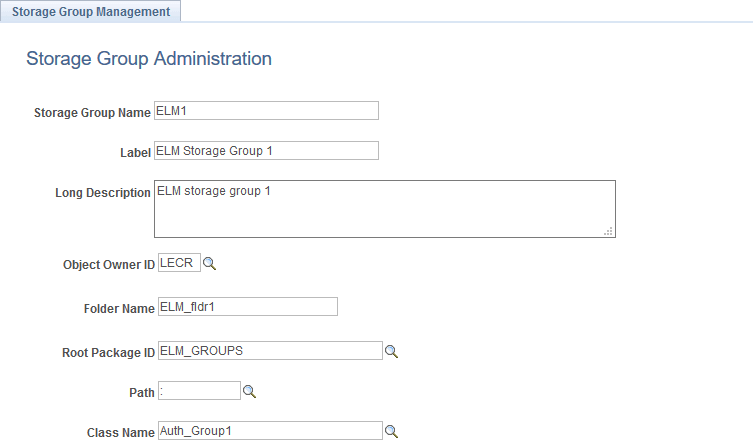
This example illustrates the fields and controls on the Storage Group Management page. You can find definitions for the fields and controls later on this page.
| Field or Control | Description |
|---|---|
|
Storage Group Name |
Enter the name for the storage group, which serves as an alias for a parent folder on the web server. A parent folder must contain one or more subfolders. |
|
Label |
Enter a label for the storage group. |
|
Long Description |
Enter a description for the storage group. |
|
Object Owner ID |
Select the ID for the object owner. |
|
Folder Name |
Enter the name of the storage group parent folder on the web server. |
|
Root Package ID |
Select the name of the application package that contains your implementation of the PTPP_SG:ContentAuthorizorBase base class. |
|
Path |
Select the names of each subpackage in the application class hierarchy that define the location of the application class. Separate subpackage names by a colon. If the class is defined in the top-level application package, enter or select the colon. |
|
Class Name |
Select the name of the application class that contains your implementation. |