Defining Report Folders
To access the Report Folders Administration page, select
This example illustrates the fields and controls on the Report Folders Administration page. You can find definitions for the fields and controls later on this page.
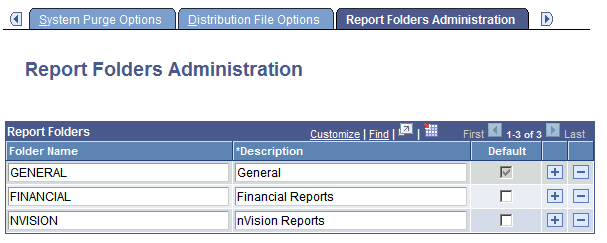
Use the Report Folders Administration page to create folders for organizing reports in Report Manager.
| Field or Control | Description |
|---|---|
|
Folder Name |
Use the Add and Delete buttons to add and remove folder names. |
|
Description |
Enter a more detailed description for the folder to identify its use. |
|
Default |
Select the check box next to the folder that you want to display as the default. The default folder is automatically selected on the Process Scheduler Request-Distribution Detail page. Note: A default folder is required. |
Related Topics