Defining Distribution File Options
To access the Distribution File Options page, select
This example illustrates the fields and controls on the Distribution File Options page. You can find definitions for the fields and controls later on this page.
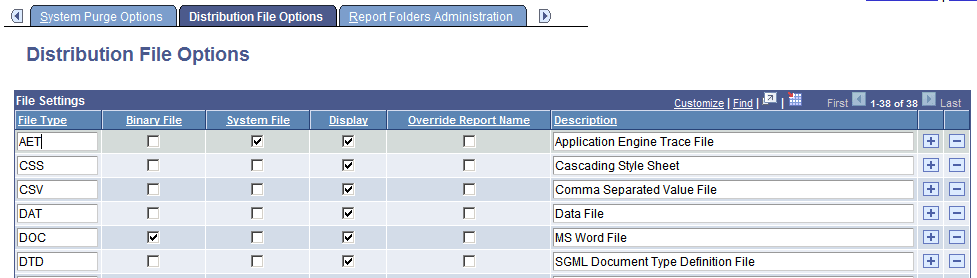
Use the Distribution File Options page to identify all the different types of files and the manner in which they are distributed throughout the system. File types are identified based on the file extensions. This is used by the Distribution Agent to determine how a specific file type will be transferred to the Report Repository using File Transfer Protocol (FTP) or HTTP. Also, this determines the description that is displayed in the Report Manager.
Use the Add and Delete buttons to add and remove available file types.
| Field or Control | Description |
|---|---|
|
File Type |
Identifies the type of file. |
|
Binary File |
Deselect for TXT and HTML files. Note: When this check box is selected, the report distribution system will not perform a conversion on the file when moving it between operating systems. |
|
System File |
Select to mark this file type as a system file. The file will be available to be viewed in the Process Monitor regardless of output type. Note: This feature requires that the Process Scheduler server definition has the attribute Transfer System Files to the Report Repository selected. |
|
Display |
Select to have the file shown on the report list page. |
|
Description |
Enter a description to be used for this file when it is displayed for viewing. If a description is not specified, the name of the file is used. |