Setting Job Detail Information
To access the Job Detail page, select a job description listed on the Process Scheduler Request page.
This example illustrates the fields and controls on the Job Detail page.
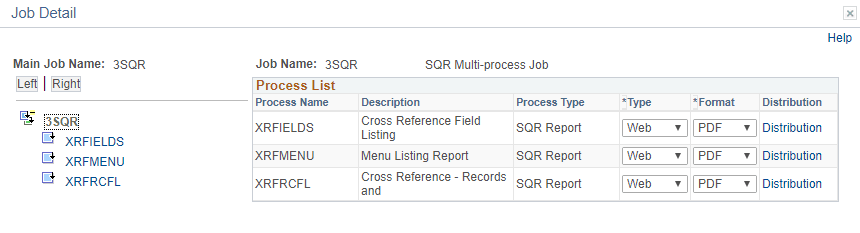
When a job or JobSet is listed, only the main job appears on the Process Scheduler Request page. The Job Detail page displays all of the jobs and processes that are attached to the main job in a hierarchical view that assists you with specifying output options and distribution information for individual processes.
Note:
You can specify the output options for jobs either at the main job level or for each job or process in the job.
Related Topics