Setting Job Runtime Parameters
To access the Job time Parameters page, select
This example illustrates the fields and controls on the Job Runtime Parameters page. You can find definitions for the fields and controls later on this page.
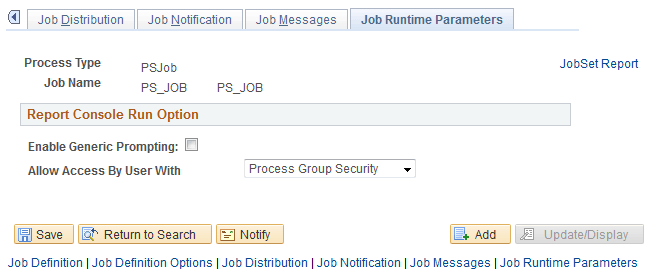
Use this page to enable the Run option from the Reporting Console.
| Field or Control | Description |
|---|---|
|
Enable Generic Prompting |
Select this check box to allow users to schedule this job from the Reporting Console. |
|
Allow Access By User With |
Select the type of permission required to schedule the job from the Reporting Console. It specifies whether full process security or process group security should be applied when the process is run from the Reporting Console or a web service.
Note: Users with the role PeopleSoft Administrator will always get the Run option on the Reporting Console if Generic Prompting is enabled. Users with the role PeopleSoft Administrator have access to run all jobs regardless of process security settings. |