Setting Recurrence Exceptions
To access the Recurrence Exception page, select
This example illustrates the fields and controls on the Recurrence Exception page. You can find definitions for the fields and controls later on this page.
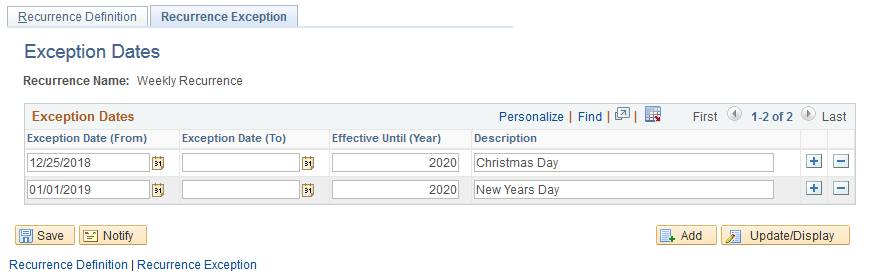
Use the Recurrence Exception page to enter specific days or dates to ignore. For example, your schedule is set up to run every Monday. However, you do not want the report to run on holidays. Therefore, when you enter the date as an exception, the system bypasses running the report on that day.
| Field or Control | Description |
|---|---|
|
Exception Date (From) |
Select the date that you want this process to bypass. |
|
Run Date (To) |
If you want the process to bypass every day for a specific period, select the last date of the period. Leave blank to bypass only one day. |
|
Effective Until (Year) |
To end the exception after a specific number of years, enter the four-digit year. Leave blank for the schedule to continue indefinitely. |