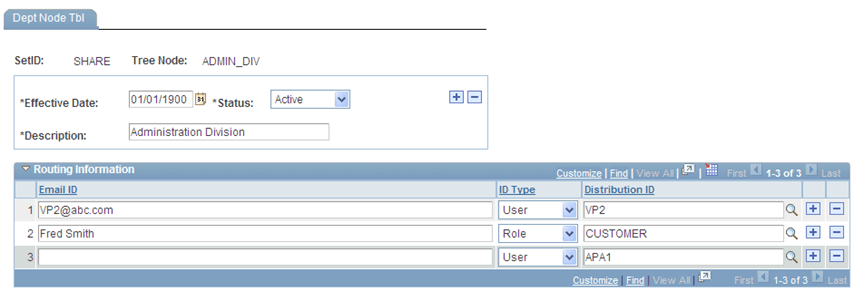
Cloning Tree Node Page - Creating Page DEPT_NODE_TBL
In Application Designer, clone the DEPARTMENT page to get a new DEPT_NODE_TBL (Department Node Table) page.
In this table, add new page fields (as in the Routing Information section of the example below) to be the data population area for record fields DISTLIST and EMAIL_TO.
Note:
The page DEPT_NODE_TBL has associated PeopleCode to construct a single DISTLIST and EMAIL_TO field for each node in the node table with the multiple recipients (Email ID or Distribution ID) that users enter in the Routing Information of the page.
Also in Application Designer, create a new component DEPT_NODE and include the DEPT_NODE_TBL page in it. And then, make this new component DEPT_NODE a part of the Tree Manager page system.
This example illustrates the fields and controls on the DEPT_NODE_TBL page.