Granting Access to Tree Node Pages
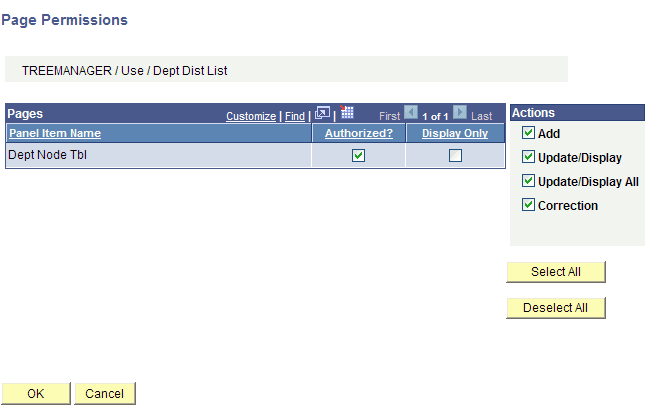
Use the Page Permissions page (ACL_PAGES2) to grand security permissions, set distribution information, and make the new node pages available to users when they maintain the tree.
Navigation:
This example illustrates the fields and controls on the Page Permissions page.
To grant security permissions for the tree in PIA:
-
Select
-
Open a permission list.
For example, to grant user VP1 to maintain the tree when VP1 belongs to the ALLPNLS permission list, open the permission list for ALLPNLS.
-
Select the Pages tab.
-
Find the TREE_MANAGER item in the list and click the Edit Components link.
The Component Permissions page appears, and the Dept Node (Department Node) component should be in the list and not authorized.
-
Click the Edit Pages link in the row where the Dept Node component is listed.
-
Click the Select All button to grant access to the page, and then click the OK button.
-
Click the OK button on the Component Permissions page.
-
Click the Save button on the Permission List page.