Updating Tree Structures to Use the New Node Table and Node Page
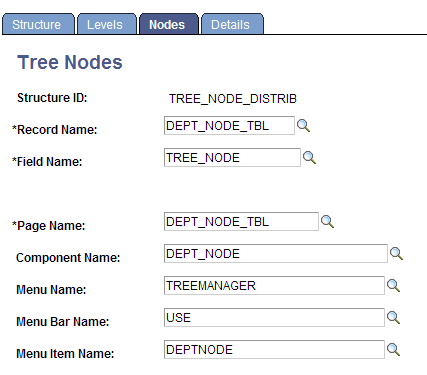
Use the Tree Structure – Nodes page to modify the tree structure to use the new node table and node page.
This example shows a version of tree structure (TREE_NODE_DISTRIB) that was modified to use the new node table (DEPT_NODE_TBL) and node page (DEPT_NODE_TBL).
To set up Tree Manager in PIA to use the new page:
-
Select
-
Select a structure.
-
Select the Nodes tab to change where the node information is stored.
-
Modify the structure to use the new DEPT_NODE_TBL record and new DEPT_NODE_TBL page.