Configuring Report Request Template Options
Report request template options enable you to use PS/nVision variables or static text to specify report delivery options, including using portal folders. Using the nVision File / Printer Output page, you can also specify scope fields to personalize reports. Template options are displayed dynamically based on your output type on the PS/nVision Web Output page—only the options that you must specify for that output type appear. By combining scope and DES variables in templates, you can have different instances of the same report delivered to different email addresses, or posted to individual users in Report Manager.
To see all available template options:
-
Select from PIA.
-
Search for an existing business unit, or enter a new business unit.
-
Select the Advanced Options tab from the nVision Report Request page.
-
Click the Scope and Delivery Templates - View All link from the nVision Report Request – Advanced Options page.
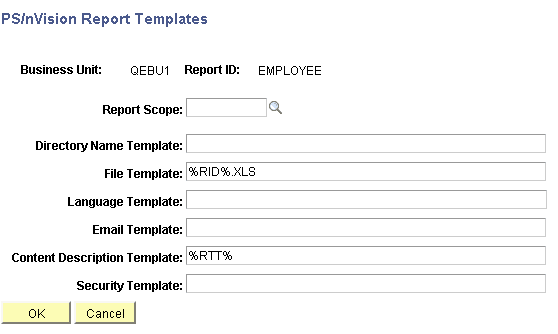
The PS/nVision Report Templates page appears.
This example illustrates the fields and controls on the PS/nVision Report Templates page (NVS_RQST_TEMPL_SBP).