Configuring Delivery Templates
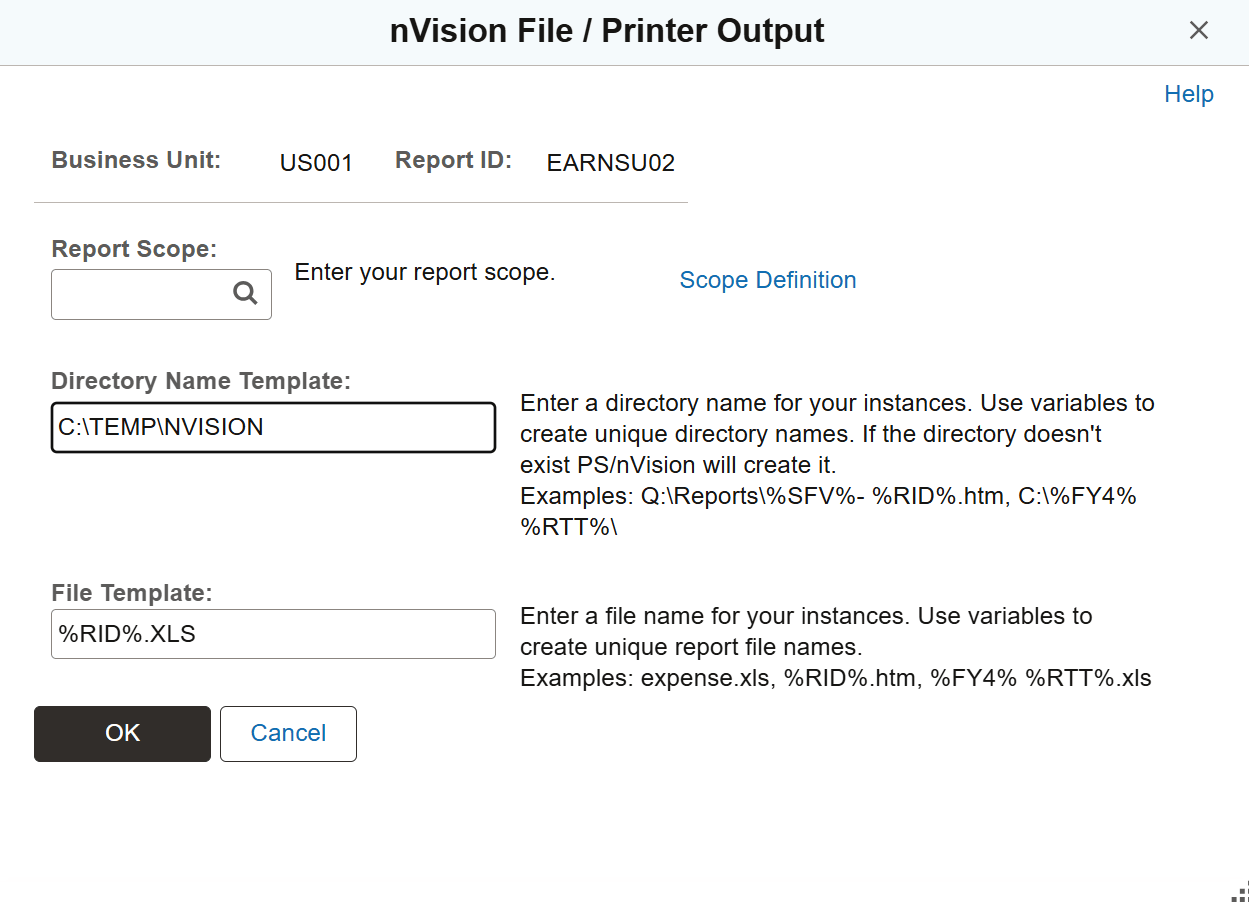
Use the nVision File / Printer Output page (NVS_RQST_FILE_SBP) to configure the nVision delivery templates.
To configure nVision delivery templates:
-
Select from PIA.
-
Search for an existing business ID, or enter a new one.
-
Click the Scope and Delivery Templates link on the nVision Report Request page.
This example illustrates the fields and controls on the nVision File / Printer Output page.
Using the Retention Day in the nVision Web Output Page
Report retention days are the number of days a report is stored in the report repository before it is expired and purged by the purge process. Beginning from PeopleTools 8.51, you are able to set the values of retention days for:
-
nVision reports at different level: System Settings page, Process Level, Process Type, and Job.
-
nVision reports that have the Web output type when you run Report Book.
-
An individual nVision report request (that has the Web output type) in PIA using the nVision Web Output page.
-
nVision drilldown reports using the System Settings page and the process type DRILLDWN.
See “Setting the Value of Retention Days for Drilldown Reports” in Using the PS/nVision DrillDown on the Web and “Using the Retention Day in the nVision Web Output Page” in Setting Up Report Requests.
Note:
The value of retention days for a Report Request is inherited by all the report instances that are created by the scope attached to the report. The value of retention days set at the Report Request level overrides the settings at the Process Type, Process, Job, and System Settings levels.
The value of retention days set at the Distribution Detail page overrides the value of retention days set at the Report Request page.
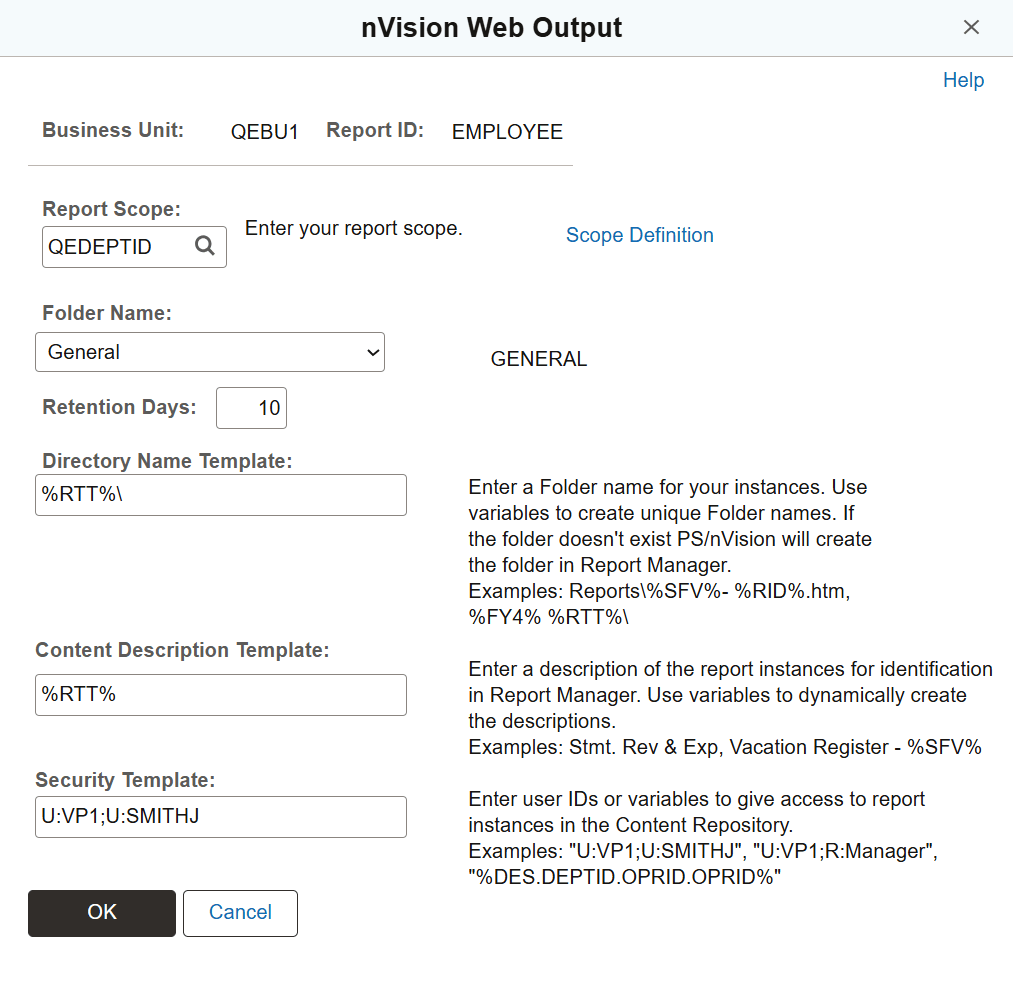
This example illustrates the fields and controls on the nVision Web Output page (NVS_RQST_WEB_SBP).
To set the value of the retention days using the nVision Web Output page:
-
Select from PIA.
-
Search for an existing business ID, or enter a new one.
The nVision Report Request page appears.
-
In the Type drop-down list box, select the Web option.
-
In the Format drop-down list box, select the Microsoft Excel File (.xls) option.
-
Click the Scope and Delivery Templates link.
The nVision Web Output page appears.
-
Enter an appropriate value in the Retention Days field.