Creating Report Requests
To access the nVision Report Request page (NVS_REPORT_RQST):
-
Select from PIA.
The Report Request search page appears.
-
Search for an existing business unit, or enter a new one.
The nVision Report Request page appears.
This example illustrates the fields and controls on the nVision Report Request page.
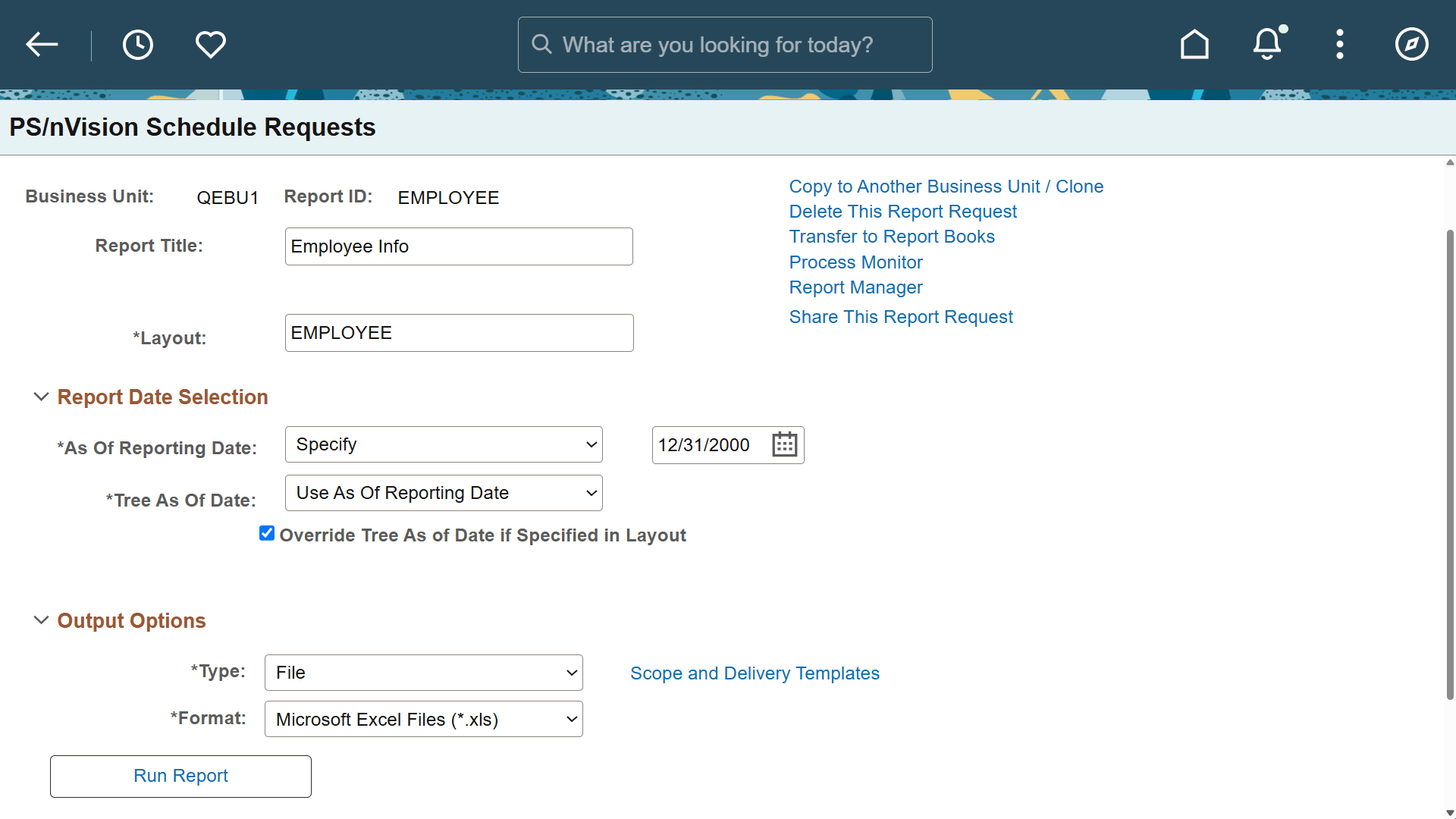
By default, report requests you create are secure, meaning that they are available only to you and to any users or groups you assign. You can make a report request public and allow access to any user.
The report request security options are configurable using the PeopleTools Options page.
See Creating Report Requests, Securing and Sharing Report Requests in PIA, System and Server Administration: PeopleTools Options.
Searching Report Requests
When you search for report requests, the search returns only the reports to which you have access. These include your own report requests, any to which you have been given access by other users, and any that are public.