Registering DrillDown Layouts
All DrillDown layouts are created in the Windows version of PS/nVision, but can be used in both Windows and a browser.
When you register a DrillDown layout, you associate it with a Process Scheduler server. You can have a set of DrillDown layouts specific to financial applications registered to a Process Scheduler server that is dedicated to financial applications and have a set of DrillDown layouts specific to Human Resources registered to its own Process Scheduler server. To make a DrillDown layout available to multiple Process Scheduler servers, register the DrillDown layout on each server. When you drill down, you can select a report server to run the report.
To register a DrillDown Layout:
-
Select
-
Enter a new server name, or use the Search button to select one from a list of available servers.
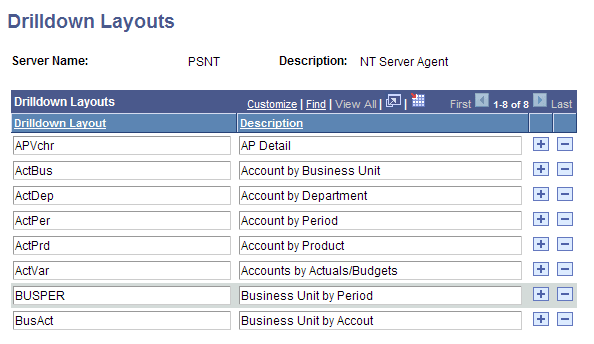
The Drilldown Layouts page appears.
-
Add a new row to the Drilldown Layouts section.
-
Enter the name of the DrillDown layout and its description.
The name of the layout must match the name of the DrillDown layout that you created in Microsoft Windows.
-
Click the Save button.
This example illustrates the fields and controls on the DrillDown Layouts page.