Copying a Connected Query
Use the Copy a Connected Query page (PSCONQRSCOPY) to copy a connected query.
Navigation:
-
Select
-
Click the Copy link for the connected query to copy.
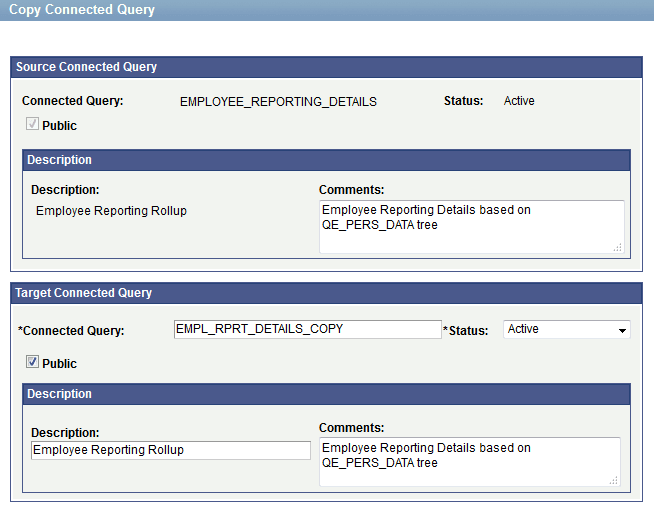
This example illustrates the fields and controls on the Copy Connected Query page.
To copy a connected query:
-
Access the Copy Connected Query page by selecting
-
Enter your selection criteria and click the Search button.
-
On the Connected Query Manager page, click the Copy link next to the connected query to copy.
To save a copy of the connected query:
-
Change the connected query name in the Target section with a new unique name.
-
Optionally, change ownership, descriptions, or the status of the query.
-
Click the OK button.