Editing a Connected Query
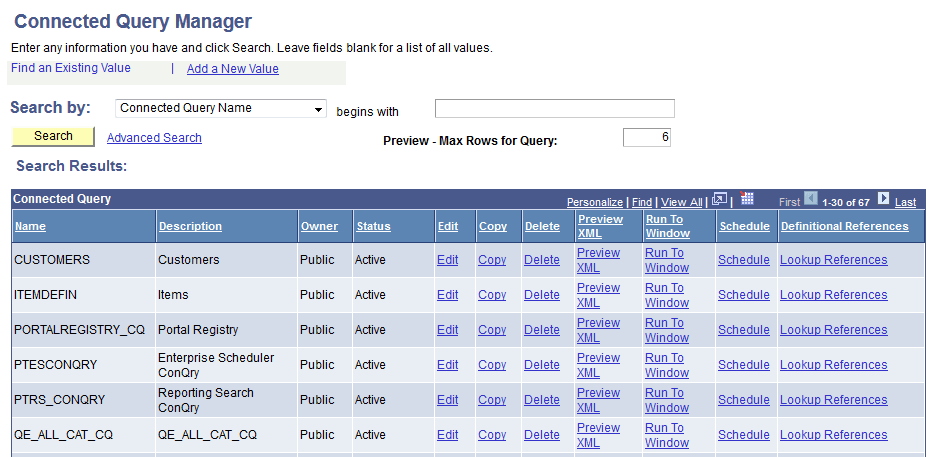
Use the Connected Query Manager search page (PSCONQRSSRCH) to edit a connected query, copy an existing connected query, delete a connected query, preview results of a connected query, schedule a connected query to run immediately with results displayed in a separate window, and schedule a connected query to run at the preset time.
Navigation:
This example illustrates the fields and controls on the Connected Query Manager search page.
To edit existing connected queries:
-
Access the Connected Query Manager page by selecting
-
Enter your search criteria and click the Search button.
-
In the Connected Query Manager search page, click the Edit link on the row with the connected query you want to edit.
-
Optionally, change the connected query structure, edit description fields, and change the connected query status.