Creating Related Record Joins
In a related record join, you can automatically join two records based on a relationship that has been predefined in the record designer. For example, if a field has a prompt table defined for it, PeopleSoft Query displays a join link to the right of the shared field.
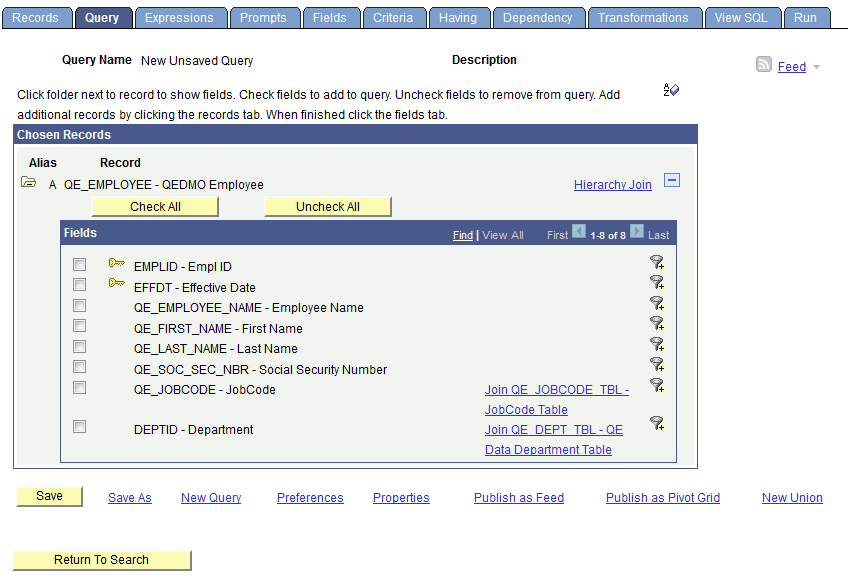
This example shows the Query page. Use the Join <record name> link to join record. The QEDMO Employee record can join to the JobCode record by using the by QE_JOBCODE field, or the QEDMO Employee record can join the Data Department record by using the DEPTID field.
To create a related record join:
-
In Query Manager select the base record for your query.
-
Select the appropriate fields and criteria.
-
From the Query page, click the Related Record Join link.
-
From the Select Join Type page, select the standard join option and click the OK button.
The join is reflected on the Query page.