Step 2: Select a Parent Query
Use the Connected Query Quick Start - Step 2 (CQ_WZ_PARENT) to select an existing query to use as the parent query.
Navigation:
-
Select
-
Enter a connected query and descriptive information, and click the Next button.
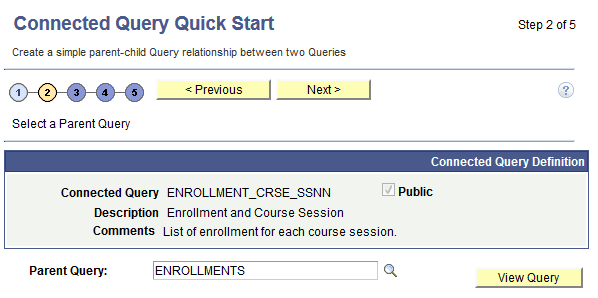
This example illustrates the fields and controls on the Connected Query Quick Start - Step 2. Definitions for the fields and controls appear following the example.
| Field or Control | Description |
|---|---|
|
Parent Query |
Click the query Lookup icon to select a parent query from a list of queries for which you have been granted access. Note: You must use the query Lookup icon to select a parent query and be able to move to the next page. |
|
View Query |
Click to open Query Manager component in read-only mode to view the query. |
|
Next |
This button becomes active after you select a parent query. Click to advance the wizard to the next page. |