Viewing Composite Query Properties
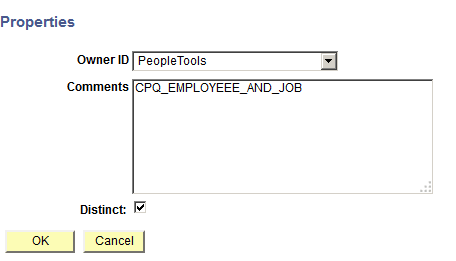
Use the Properties page (PSCPQPROPERTIES) to view and edit the property settings of the composite query, including owner ID, comments, and distinct option.
Navigation:
-
Select Reporting Tools, Composite Query, Composite Query Manager.
-
Create a new composite query or open an existing one.
-
In the Composite Query Manager page, move your mouse over the Action menu icon (next to the SQL button).
-
Select the Properties option to view the property settings of the composite query.
The Properties page appears, displaying the properties settings of the composite query.
This example illustrates the fields and controls on the Properties page. The Distinct option is selected to eliminate duplicate rows in the composite query result.